
BRF+ Customization
Steps to Generate the BRF+
- Before proceeding to the next steps, please refer to the Prerequisite section on this page to ensure all necessary configurations are in place.
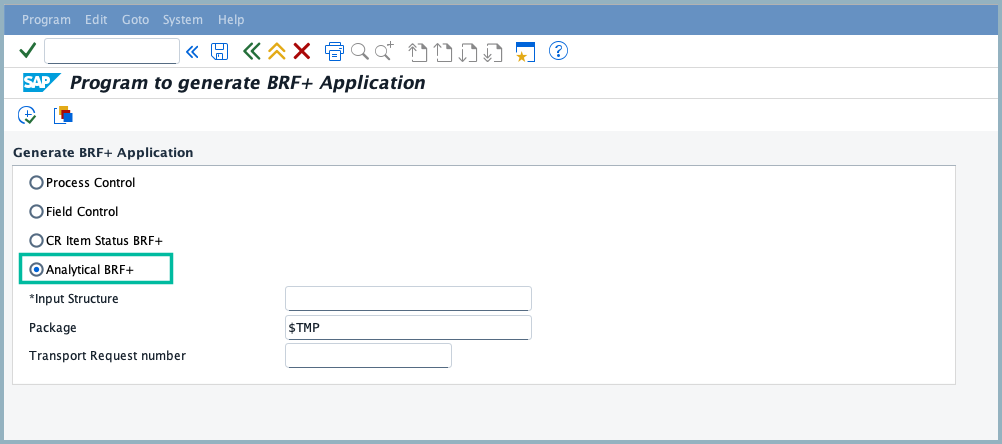
- Run the report program by accessing T-Code SE38 →
/XCM/BRF_GENERATE - Select the Analytical BRF+ radio button
- Fill in all mandatory fields
- Package: If the package provided is a local object (
$TMP), a transport request number is not required, but this is not recommended. However, if it’s not a local object, a transport request number is mandatory. We recommend providing the package and storing changes in a transport request, so you can transport it to other systems.
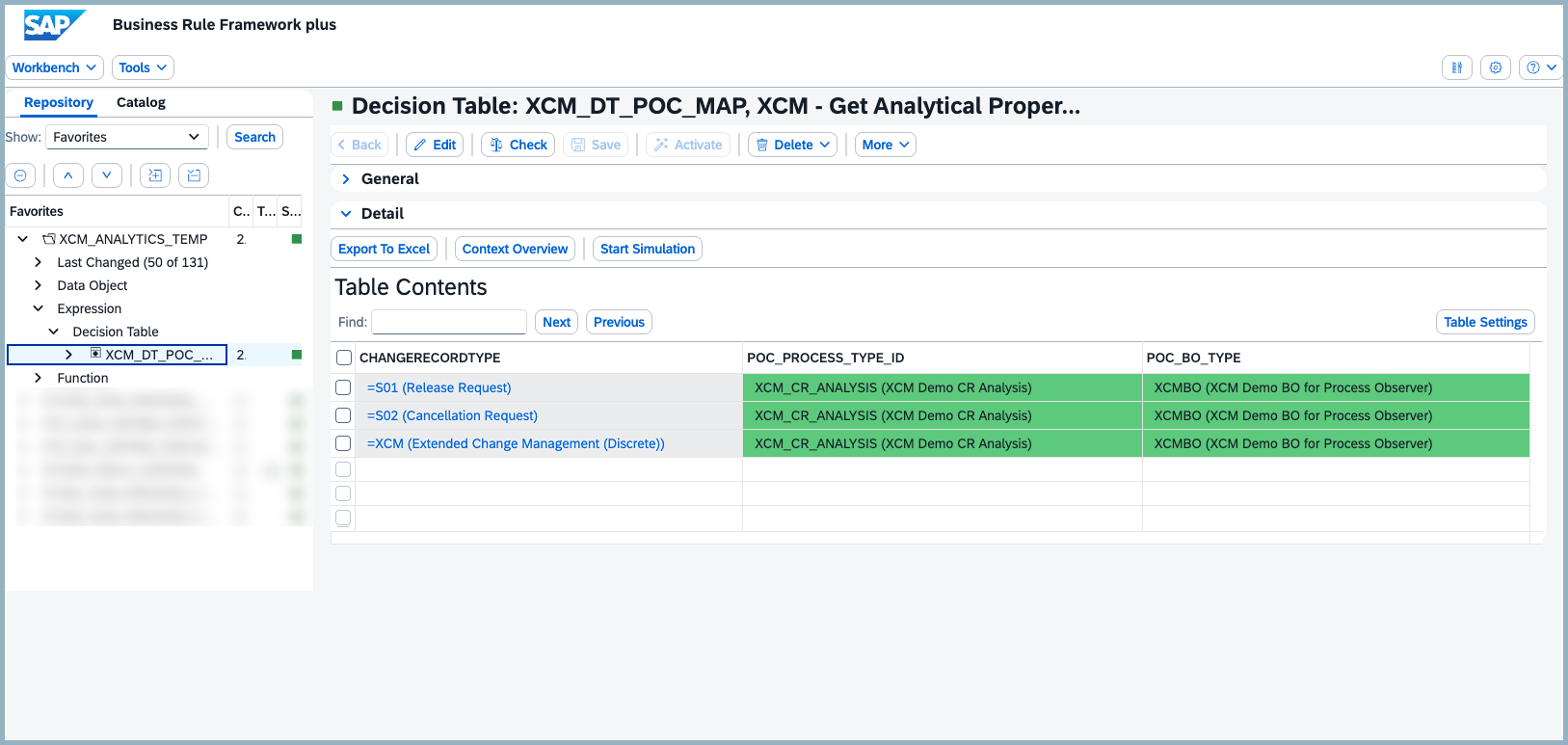
 6. Once the BRF+ application is generated, Maintain the Decision table entries WIth Process Definition ID and BO type.
Prerequisites
- Before generating the BRF+ application, ensure that no other BRF+ application is active.
- configure the POC MODEL as explained in the Reporting and KPI before generating the BRF+.