
Use PPP Workflow to Create Item and Project Versions
Problem
You want to automate snapshot version creation using a workflow and need guidance on how to configure this within the workflow framework.
Solution
1. Prerequisite: Maintain Permitted Version Numbers
Before configuring the workflow, ensure that permitted version numbers are defined:
- Navigate to:
SAP Portfolio and Project Management → Project Management → Structure → Define Permitted Version Numbers(Transaction code: SPRO) - Maintain the allowed version numbers for snapshot creation.
2. Configure BRF+ and Workflow for Snapshot Creation
Define Workflow Sequence
- In
WF_SEQUENCES, specify the sequence step after which snapshot creation should occur. - Example: If snapshot creation should follow version creation, maintain it as the first step and leave the final step empty if not required.
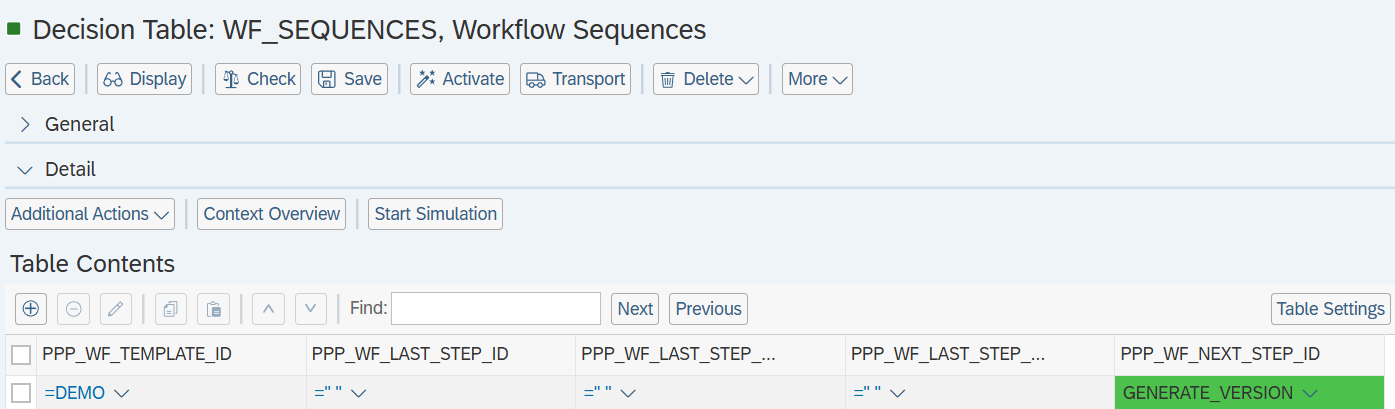
Define Workflow Step
- In
WF_STEPS, configure a step ID and mark it as a background step.
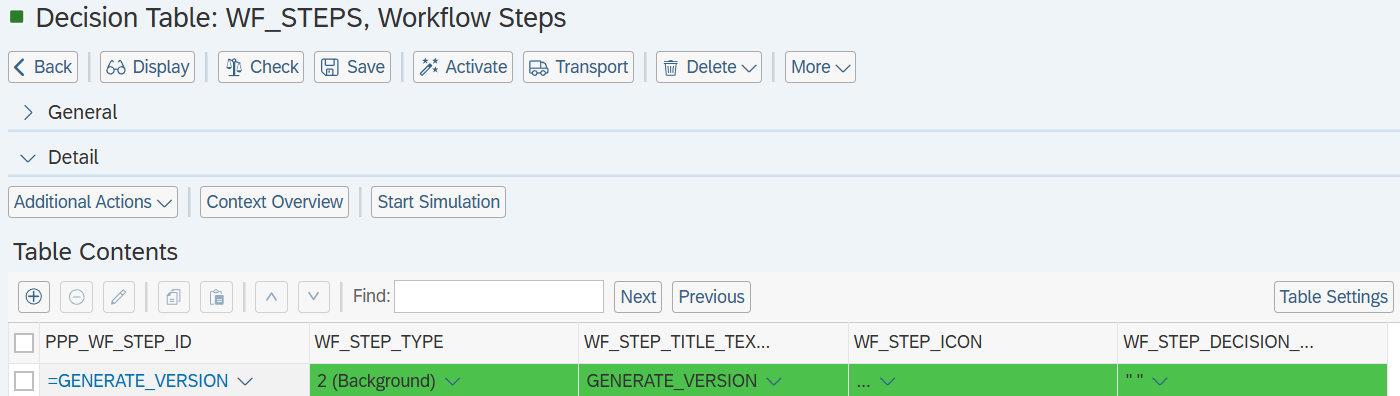
Assign Background Step
- Maintain the step ID in
WF_BACKGROUND_STEPS. - Provide the corresponding service function details.
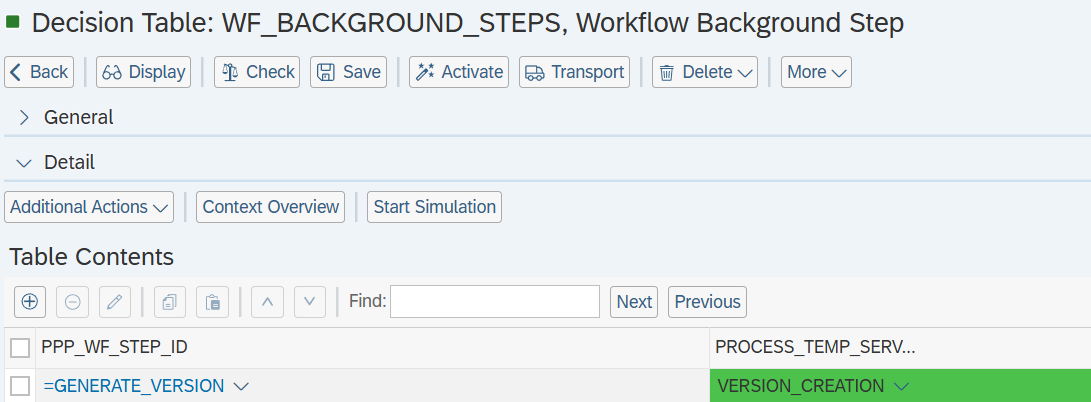
Configure Service Function
- In
WF_SERVICE_FUNCTIONS, set the service function type to2 (Custom Service Function)
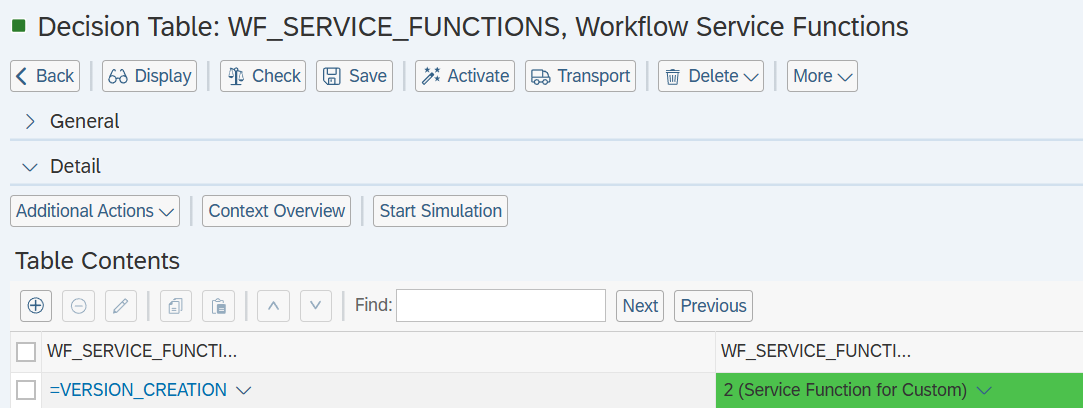
Maintain Custom Service Function
- In
WF_CUSTOM_SERVICE_FUNCTION, assign the custom service function name.
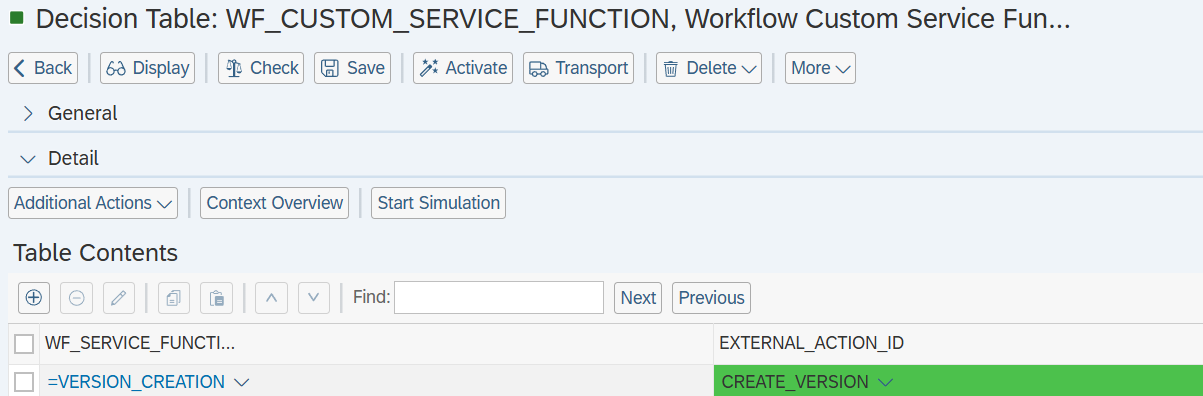
Assign Snapshot Creation Class
-
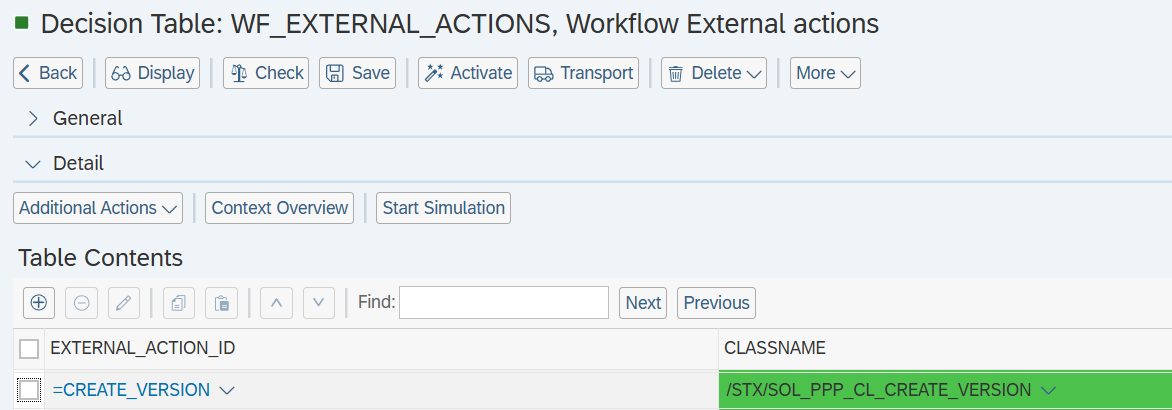
Based on the use case, assign the appropriate class for the external action ID configured in the workflow step in table
WF_EXTERNAL_ACTIONS:- Project and Item Snapshot:
/STX/SOL_PPP_CL_CREATE_VERSION - Item Only Snapshot:
/STX/SOL_PPP_CL_CREAT_ITEM_VER - Project Only Snapshot:
/STX/SOL_PPP_CL_CREAT_PROJ_VER - Item and Project Snapshot and link between them:
/STX/SOL_PPP_CL_CR_VER_ITM_PRJ
- Project and Item Snapshot:
-
Provide the sequences after which step the snapshot creation should happen under
WF_SEQUENCES.
See Also
Keywords
SAP PPM, Snapshot Version, Workflow Configuration, BRF+, Background Step, Version Management