
BAS: No Application Available For Project Extension (Error- 403, 404)
Problem
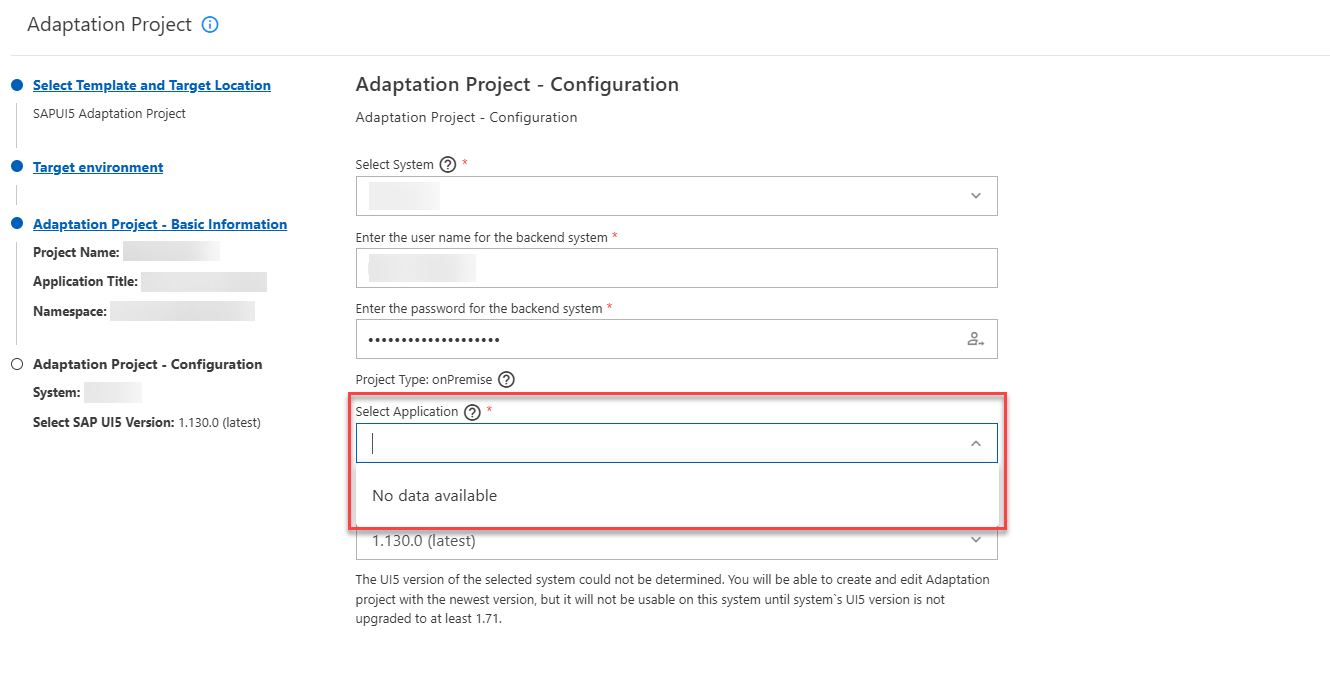
No application appears when creating an extension project for the target system on BAS.
Detailed Description:
When we attempt to create an extension project on BAS, during the configuration step, it asks for the application to be extended. Here, we need to select the available applications from the system using the drop-down menu. However, it does not display any applications in the drop-down menu, which blocks us from creating the extension project.-
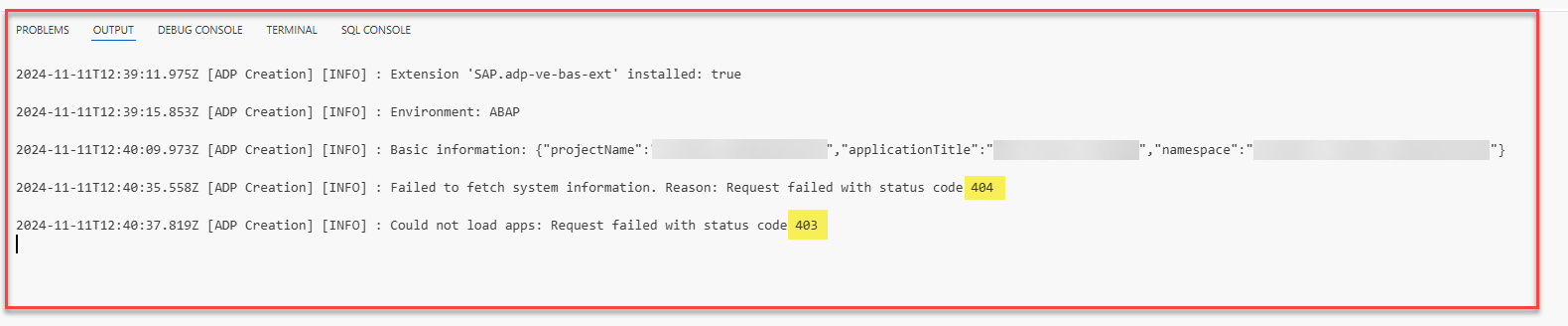
 Error status codes:
- 404 - Failed to fetch system information
- 403 - Could not load apps
Solution
Add Missing Configurations
Following the first step outlined below should resolve the issue. If it does not, please follow the second step as well.
-
Run the transaction code SICF to ensure that the following ICF nodes are activated in your ABAP system:
- /sap/bc/bsp
- /sap/bc/ui2
-
In the Access Control tab page of the Cloud Connector, please grant access to the following URL paths (Resources) for the required usages, or you can set the path to “/sap/” (for Access Policy, select the option Path and all sub-paths):
- /sap/bc/bsp
- /sap/bc/ui2