
IMG Customization
IMG Customization
Configuration steps
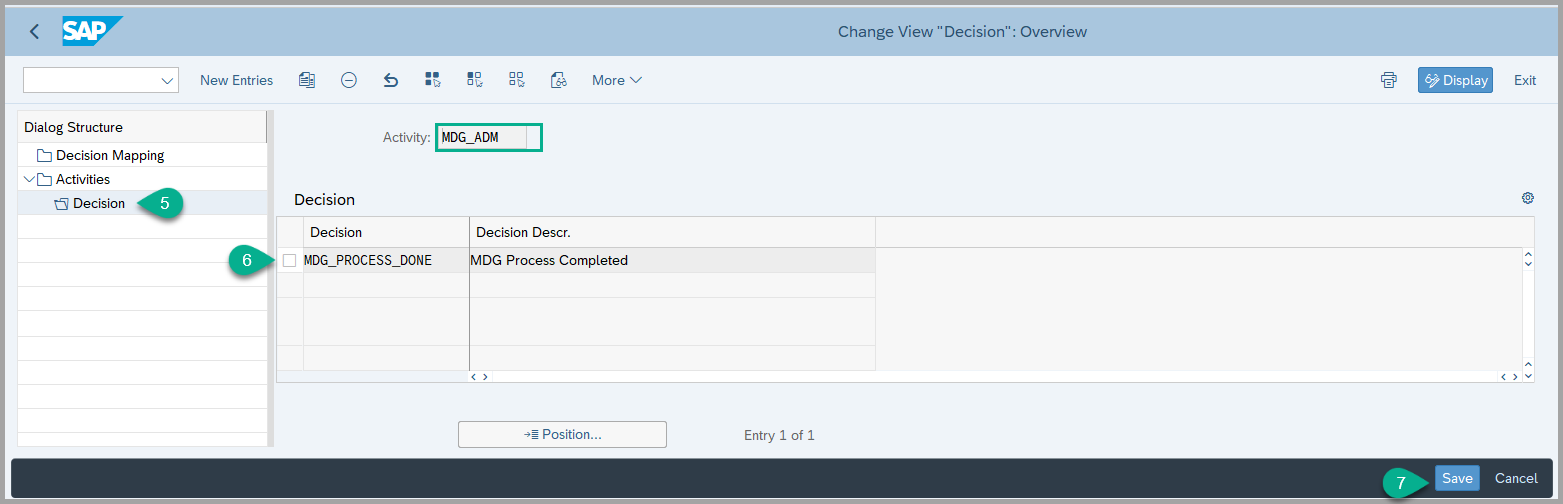
- Linking the decision to the activity
XCM_AGEX,XCM_PREXandMDG_ADM( This is required to provide the customer specific decisions for these activities )
- To link Decision to the Activity, navigate to the following IMG path: sophisTex Add-On Solution Customizing (Tcode: /STX/CUS) → sophisTex Functional Solutions→ eXtended Change Management → Standard PLM Customizing → Process routes → Define and Assign Decisions
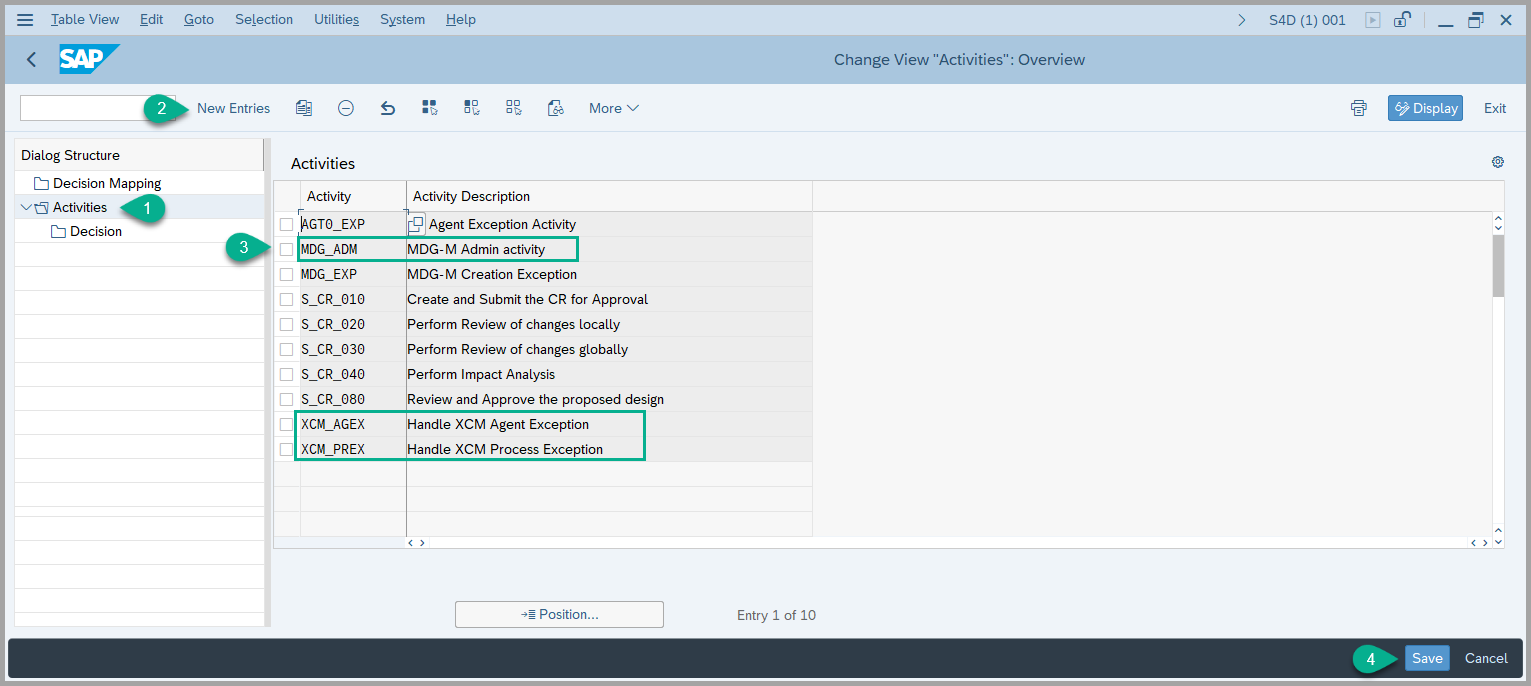
- Select the Activity for which you want to assign a decision, Click on Decisions on the left-hand side.
- Add the required Decision. Click Save .
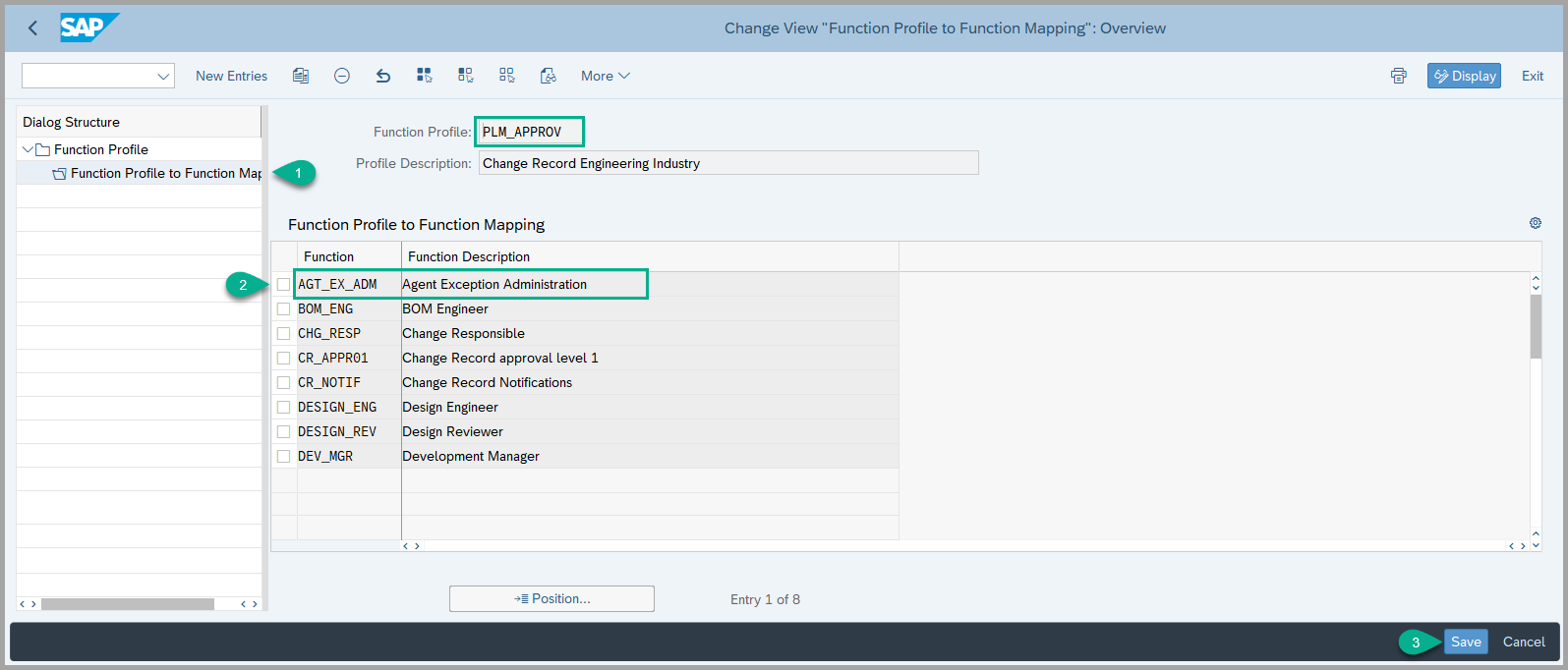
2. Adding function AGT_EX_ADM to the existing function profile. (This is required to use this function in the agent determination using Teams and Responsibility)
- navigate to the following IMG path: sophisTex Add-On Solution Customizing (Tcode: /STX/CUS) → sophisTex Functional Solutions→ eXtended Change Management → Standard PLM Customizing → Responsibility Management → Functions → Define Function Profiles
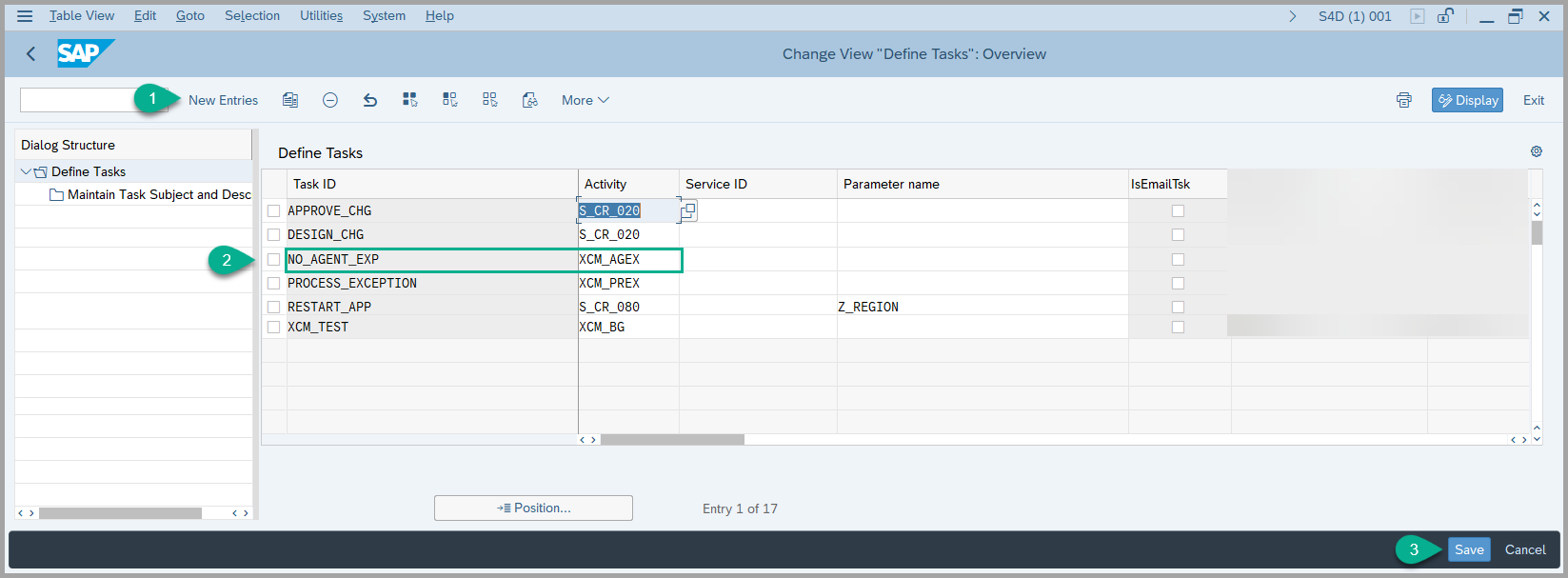
3. Create a Task ID by linking the activity ( we read the relevant Task for this activity and use it to create Admin Task for MDG-M task )
- To configure a Task ID, navigate to the following IMG path: sophisTex Add-On Solution Customizing (Tcode: /STX/CUS) → sophisTex Functional Solutions→ eXtended Change Management → XCM Customizing → Process Control → Define Tasks
- A Task ID is linked to an Activity, Now Maintain the Task subject and description for the Task ID created.
See Also
Keywords
Process Exception, No Agent Exception