Analytical List Page / Graphical Reporting: Implementation based on CDS Views (Technical Documentation and How-To)
Technical Documentation – Graphical / Analytical Reporting App
1. Backend Technical Objects
1.1 CDS Views
-
Interface CDS Views :
(Base / interface views providing raw data and associations)ZSTX_I_ITEM_TYPE_TEXTZSTX_I_STATUS_TEXTZSTX_I_DPR_PROJECTZSTX_I_OBJ_LINK
-
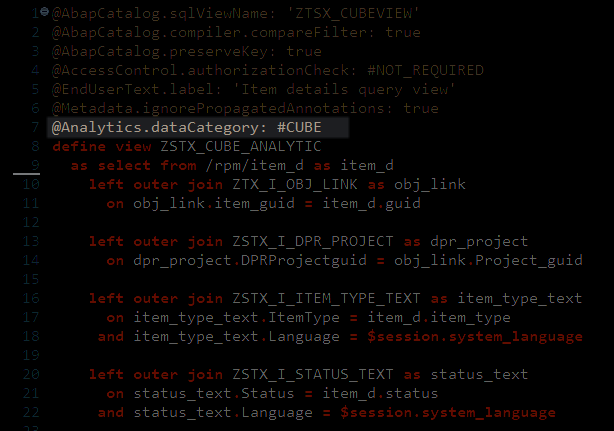
Cube CDS Views :
(Cube views annotated with@Analytics.dataCategory: #CUBE, used as the analytical foundation)ZSTX_CUBE_ANALYTIC
-
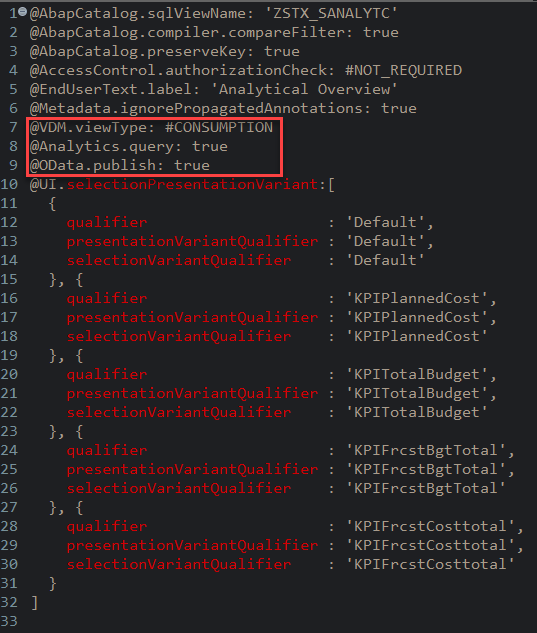
Consumption / Analytical CDS View
(Consumption view annotated with@Analytics.query: true)
(Consumption view on top of the cube, exposed for reporting and UI consumption)ZSTX_C_ANALYTICAL_OV
1.2 OData Service
-
Service Name:
ZSTX_C_ANALYTICAL_OV_CDS -
Service Registration:
/IWFND/MAINT_SERVICE
2. BW Configuration – InfoObject 0INFOPROV
2.1 Prerequisite
The system must have the BW InfoObject 0INFOPROV in an active state.
If the InfoObject is not active, activation of the analytical CDS view will fail.
2.2 Error Scenario
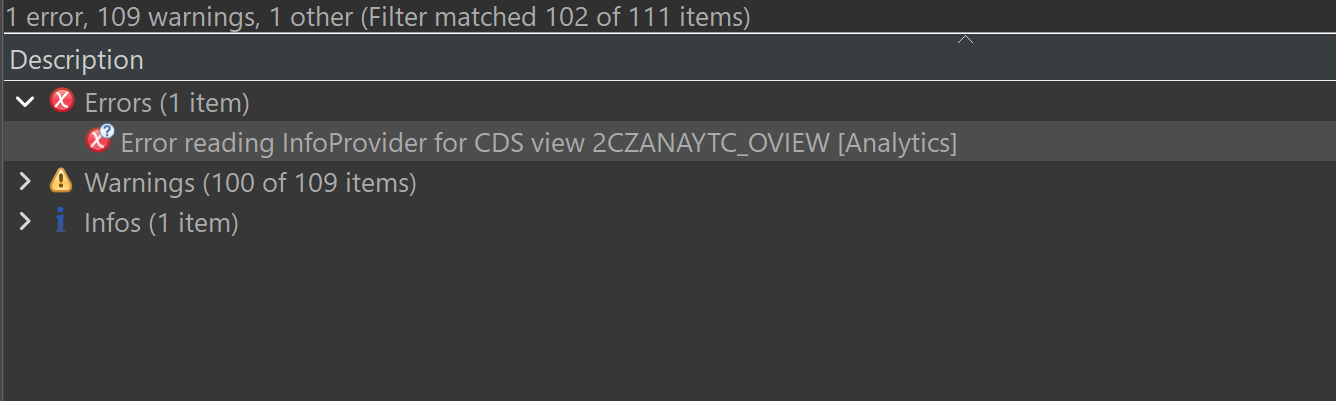
During CDS view activation, the system throws an error as shown in the screenshot below.
Error reading InfoProvider for CDS view 2CZANAYTC_OVIEW [Analytics]
2.3 Pre-Check (Rare Scenario)
In rare cases, certain systems may not contain an active-state entry for InfoObject 0INFOPROV in the following BW tables:
RSDCHARSDIOBJRSDIOBJT
Before attempting to activate the InfoObject, it is mandatory to verify that the active entries exist in these tables.
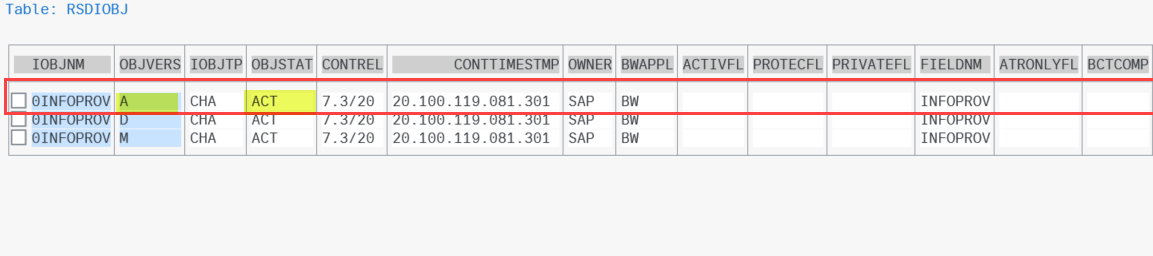

If the active entries are missing, direct activation of the InfoObject may fail.
2.4 Required Action (If Active Entry Is Missing)
- The required active entries must be maintained in the above tables
- This step must be completed before activating InfoObject
0INFOPROV
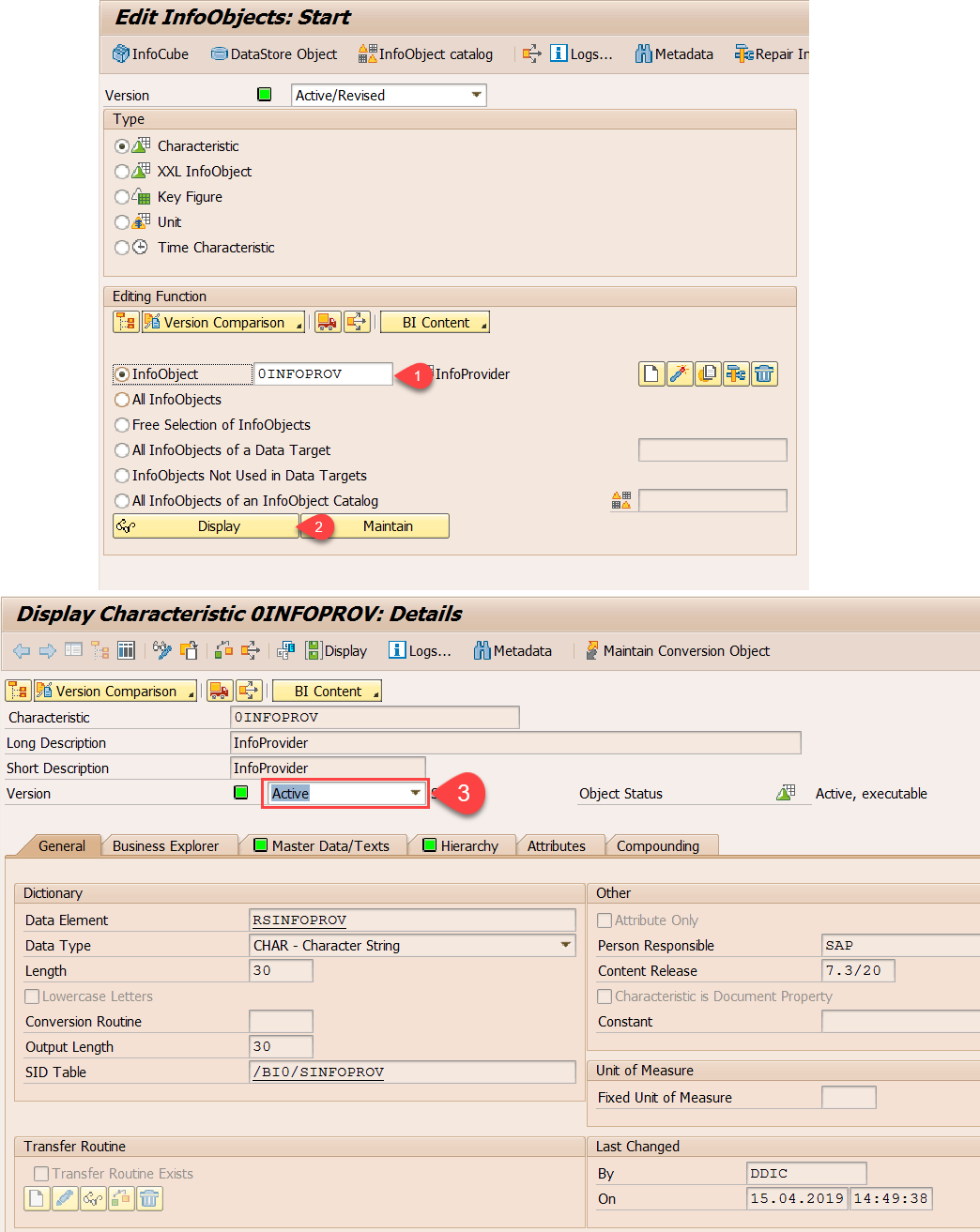
2.5 Activation Steps for InfoObject 0INFOPROV
Option 1: Via Transaction RSD1
- Go to transaction
RSD1 - Enter InfoObject:
0INFOPROV - Select Activate
- Ensure the InfoObject status is Active
Option 2: Via Report Program
- Execute report
RSDG_IOBJ_ACTIVATE - Provide InfoObject name:
0INFOPROV - Run the program to activate the InfoObject
3. Frontend Components
3.1 Fiori Application
-
App Type:
Analytical Overview Page (Analytical List Page – ALP) -
Creation Steps:
- Select Analytical List Page as the application type
- Choose the target SAP system
- Select and assign the relevant OData service
- Generate the application using the standard BAS template
In a Fiori Elements Analytical List Page, the framework:
-
Reads the OData $metadata
-
Interprets CDS annotations
-
Automatically renders:
- KPIs
- Visual filters
- Charts
- Tables
- Selection fields
3.2 Cross-Check Annotations in the Frontend :
To verify that the UI is driven by CDS annotations, check the standard local annotation (VAN.xml) file generated in the frontend project.
-
Open the Fiori application in BAS
-
Navigate to the local service annotation file
webapp/localService/...van.xml -
This file is generated by the standard Fiori Elements template
-
It contains UI annotations such as:
- KPIs
- Visual filters
- Charts
- Selection fields
-
These annotations reflect the definitions maintained in the Consumption CDS View
Issue Faced During Implementation :
Some annotations defined in the ABAP CDS views were not reflected in the frontend annotation (VAN) file. This was observed mainly for Value Help and certain Visual Filter–related annotations.
After analysis, it was identified that not all annotation types are supported from ABAP CDS to the OData metadata for Fiori Elements consumption. As per SAP guidance, such annotations need to be maintained using local XML annotations.
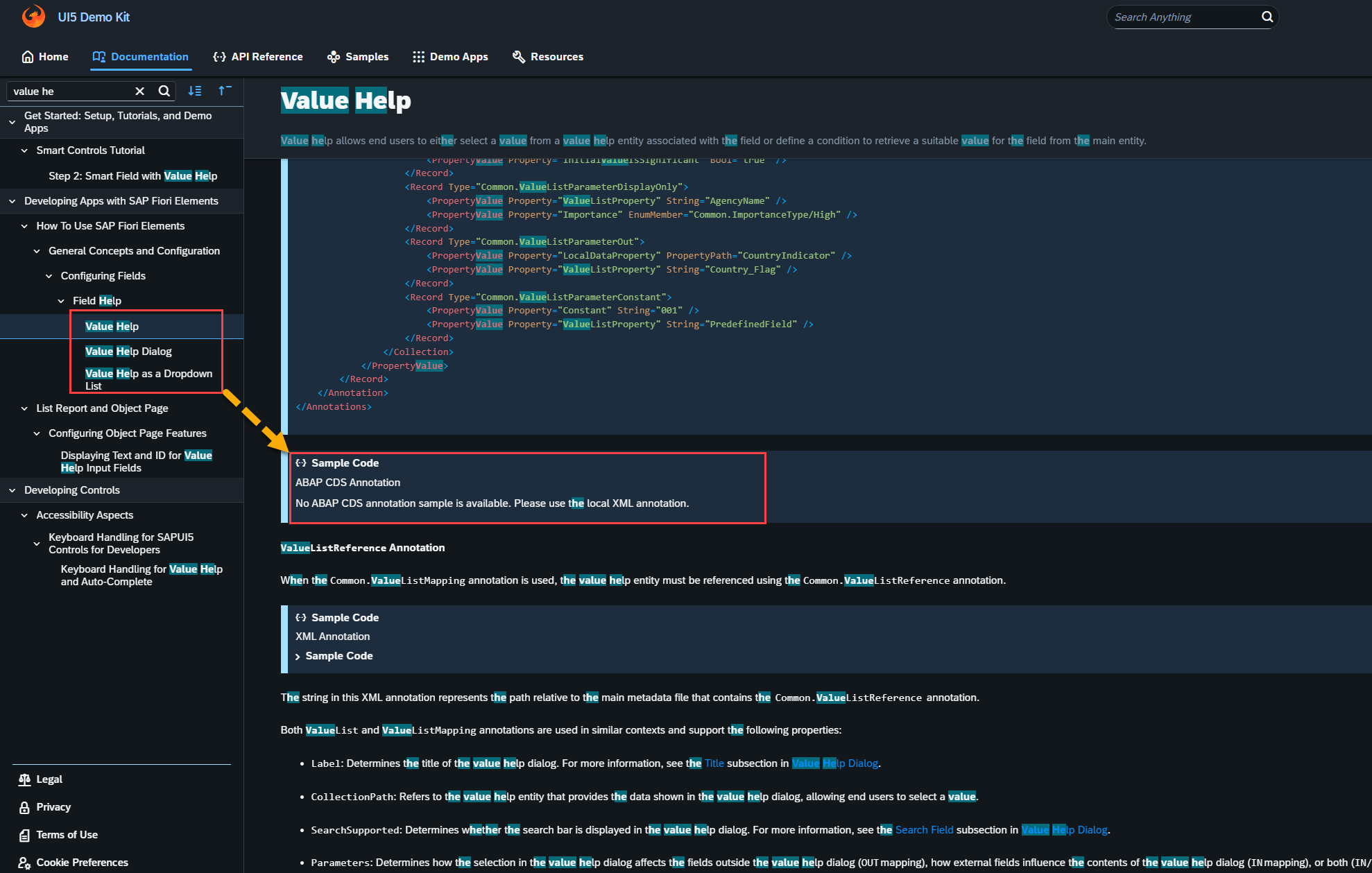
Resolution:
The required annotations were manually maintained in the local annotation file webapp/localService/...van.xml
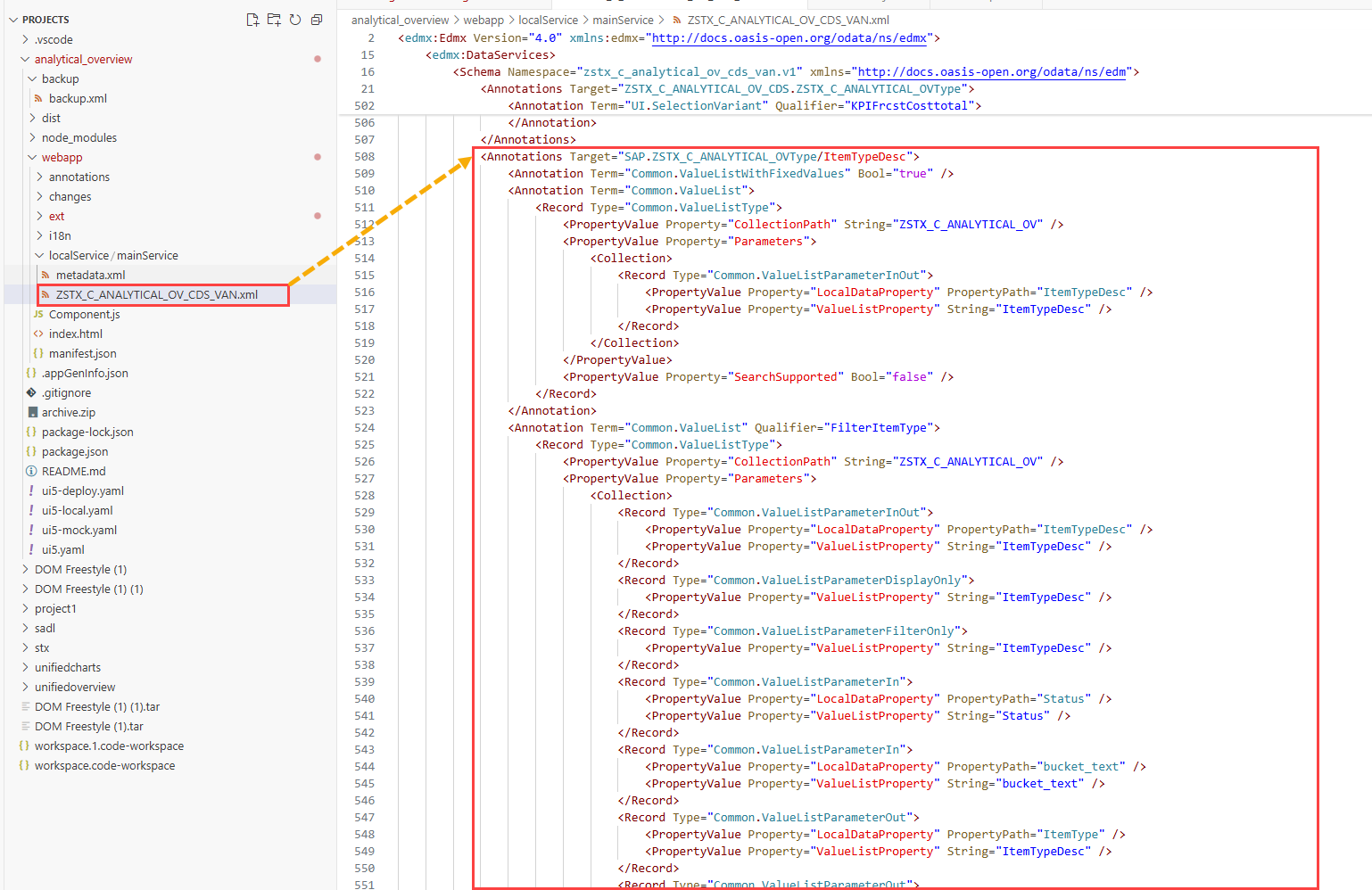
Additional Observation – Web IDE vs BAS
In SAP Web IDE, there is a direct option in the annotation modeler to select a field and enable Value Help, which automatically generates the required annotations.
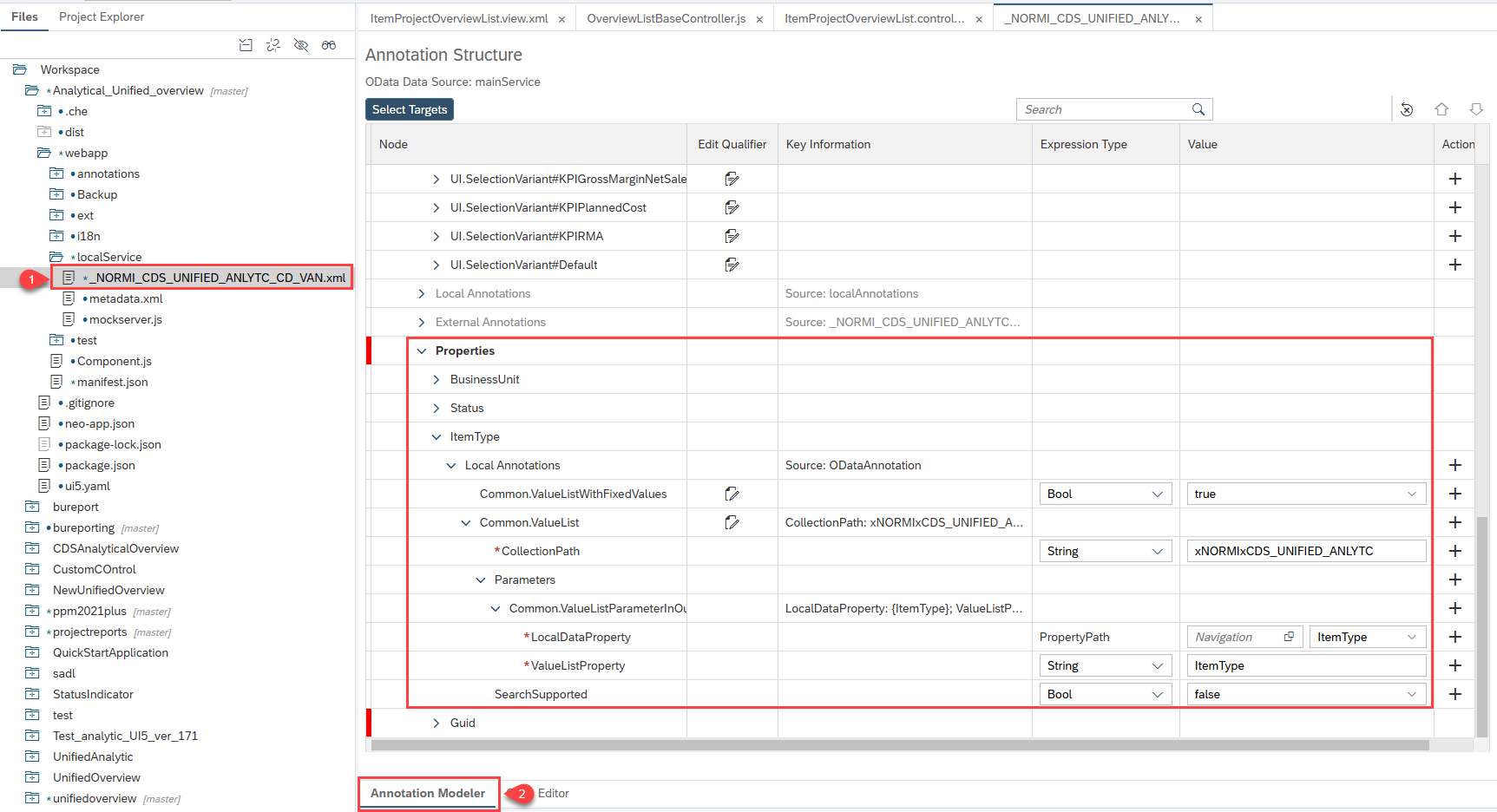
However, in SAP Business Application Studio (BAS), I did not find an option in the Page Editor / Annotation Modeler to configure Value Help by selecting fields directly.
4. Custom Frontend Code
The application uses Fiori Elements and annotations, so normally no custom frontend code is required for KPIs, filters, charts, or tables.
In some systems running older UI5 versions, certain properties are not enabled by default. In such cases, the controller needs to be extended to enable these properties.
-
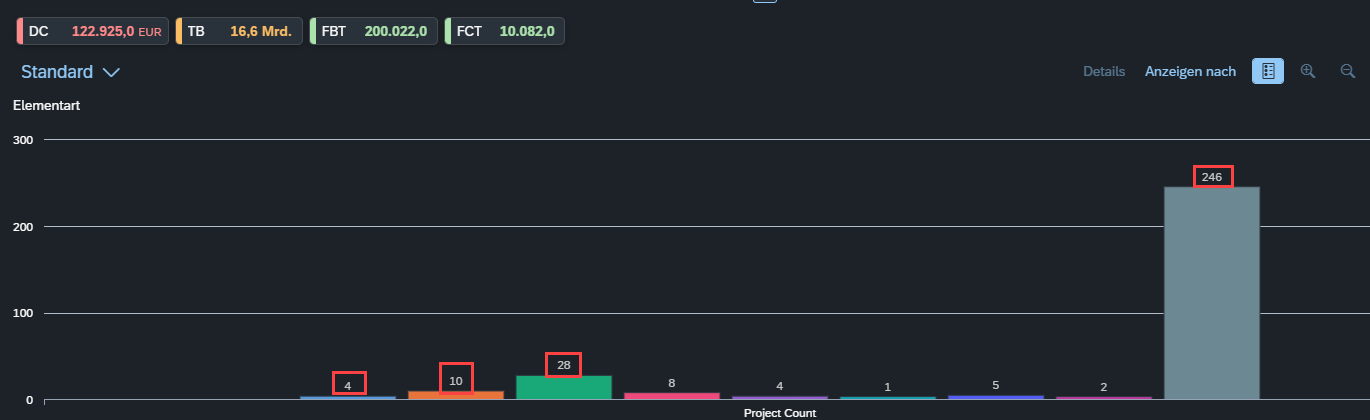
Displaying values on large charts
- Value labels on charts are not enabled by default
- To display values on the charts, the controller was extended and the required chart properties were added programmatically
-
Custom columns (e.g., App Jumper / Navigation column)
- In the ABAP CDS view, intent-based navigation was not working. We faced a similar issue earlier during the DMK application implementation. To resolve this, we extended the controller to handle cross-navigation.
5. Open points for next version(s)
- One possible improvement for a future version is to make the app more dynamic, especially in handling custom fields. Based on the initial analysis, this is not straight forward .
- As discussed earlier (with you and Jag), we can use existing customizing tables to store configuration.
- However, the main challenge is how to dynamically add the selected custom fields to the Consumption CDS view. This needs further analysis and can be explored in a future release.
6. Customer System – Custom Fields Handling
- To make custom fields available in the application, the fields only need to be added to the Cube CDS view and the Consumption CDS view, and the metadata cache must be cleared. After this, the custom fields will automatically appear in the UI.
- If a customer wants any of the custom fields to appear by default in the filter bar or as visual filters, the required annotations need to be maintained. This is a small change and can typically be implemented within an hour.
7. Generated Class ZCL_ZSTX_C_ANALYTICAL_OV
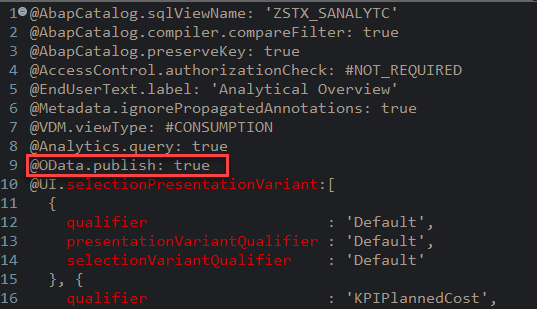
- This is a standard helper class automatically created when a CDS view (
ZSTX_C_ANALYTICAL_OV) has the annotation@OData.publish: true.
- It implements
IF_NAT_QUERY_HELPER~GET_QUERY_NAMEto return the query name2CZSTX_SANALYTC. - It enables the CDS view to be exposed as an OData service for Fiori applications.
- No additional business logic is implemented; it purely serves as a bridge between the CDS view and the OData service.
- The class is indirectly linked/registered via the OData service generated from the CDS view.
8. Customizable Thresholds for Future Versions
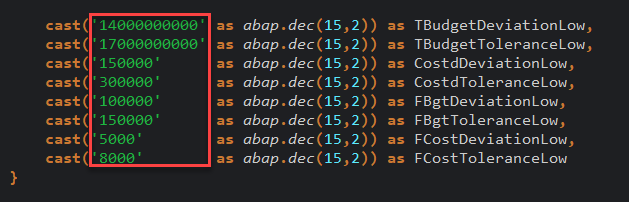
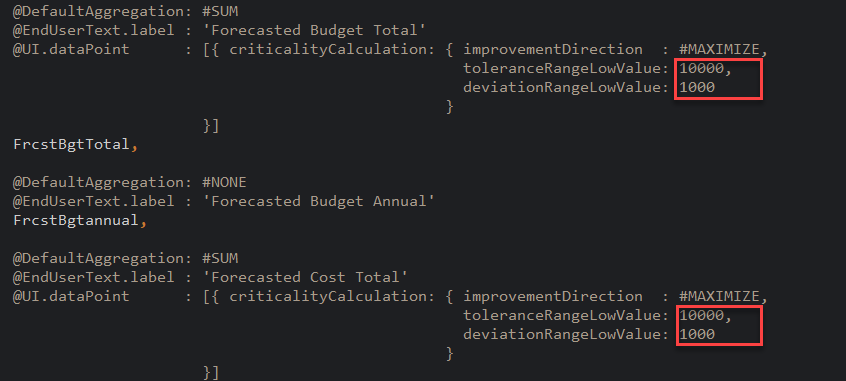
- Yes, we can make these values customizable by reading them from a customizing table. The corresponding fields would need to be mapped in the CDS view, and we would need to ask the customer to maintain the threshold values in the table.
- Reading the values from BRF+, as discussed earlier, would be more complex. We can consider this approach in the future and will need to do more research when developing the real application in PPP.
9. Dynamic Texts for Labels in Future Versions
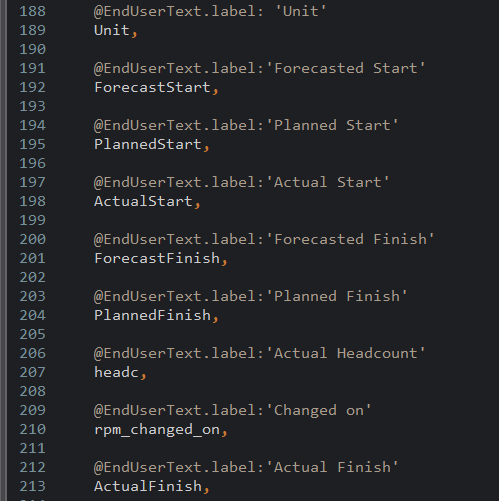
- Based on my initial analysis, we are not able to make the labels fully dynamic. it is not possible to directly map a database field to
@EndUserText.labelin a CDS view. The@EndUserText.labelannotation only accepts static text defined at design time. - However, I found some documentation that suggests it might be possible using the annotation
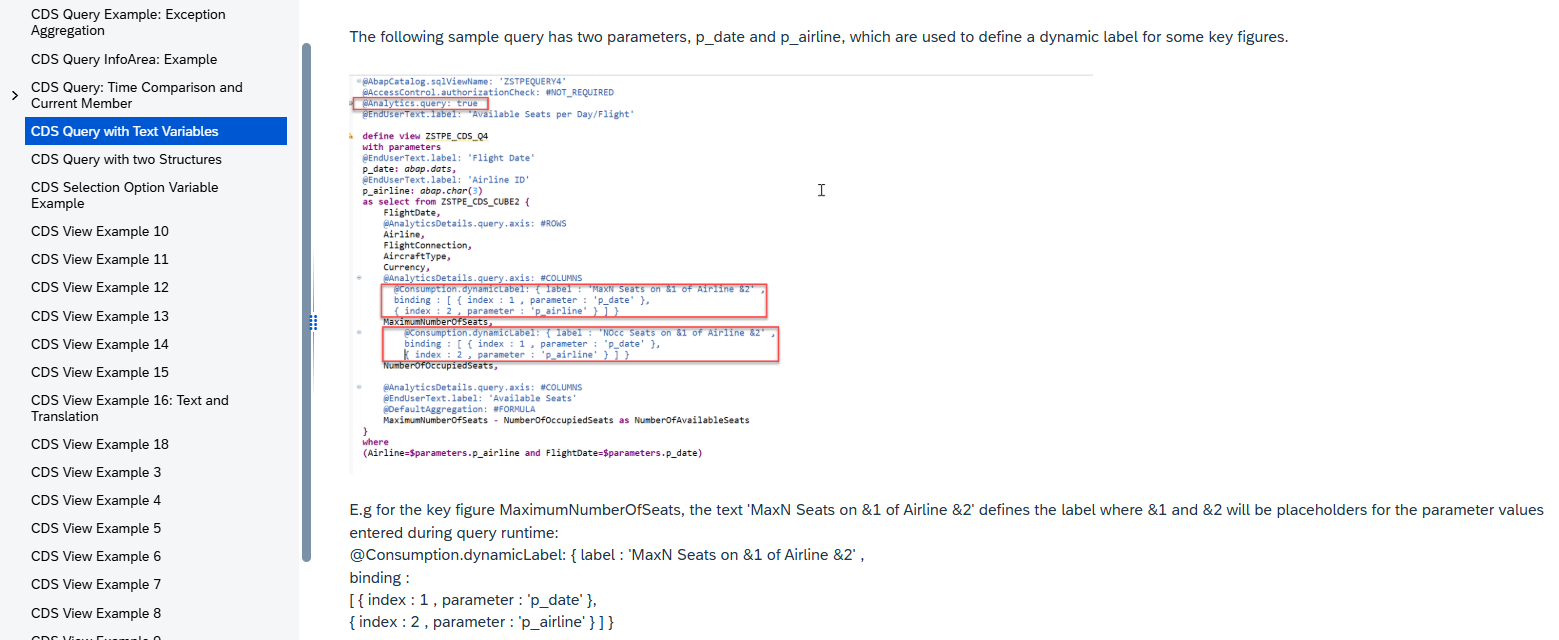
@Consumption.dynamicLabel, though this approach is parameter-based. I will need to do more research on this and also check whether this annotation is supported in ABAP CDS views.