
2026.4 - Organized Documents, Visual Planning, and a More Personal PPP
With release 2026.4, sophisTex PPM Process Package (PPP) focuses on the everyday experience of working with your projects and portfolio. A new structured Documents tab brings order to project files and links, a native Gantt chart makes visual planning part of the application itself, and a series of personalization and usability improvements let each organization shape PPP around the way it actually works. Together with smarter notes, adoption insights, and flexible rollout controls, this release makes PPP both more capable and more comfortable to use every day.
Document Management: A Dedicated Documents Tab
Project teams have long needed a proper place to keep specifications, contracts, and reference links together with the project they belong to. With this release, PPP introduces a dedicated Documents tab in the Project Structure detail view, mirroring the familiar “Documents” tab from PPM Standard. Instead of pasting plain-text URLs into the limited “Notes” tab, users can now organize files and external links — such as SharePoint locations — in a clear, hierarchical folder structure right where the work happens.
At the heart of the feature is a hierarchy tree that holds folders, subfolders, uploaded documents, and external links side by side, each with its own name, description, and change information for full transparency.

Creating new content is straightforward. A guided dialog lets users add either an uploaded file or a URL link, give it a meaningful name and description, and place it exactly where it belongs in the structure. Document names and descriptions remain editable at any time, so the structure can grow and adapt with the project.

As document structures grow, a built-in search makes it easy to find the right file. Entering a search term narrows the tree down to the matching entries, so the relevant document is only a few keystrokes away.

Native Gantt Planning (Preview)
Visual planning is now a native part of PPP. This release introduces a preview of a built-in Gantt chart in the Project Planning area, giving project managers an interactive timeline view of their entire project structure without leaving the SAP Fiori application. Tasks, phases, and milestones are laid out on a calendar timeline that can be scheduled, filtered, and exported directly.
In the structure-oriented view, the full project tree is shown on the left alongside its scheduled bars on the timeline, combining hierarchy and dates in a single picture.

The timeline view puts the focus on scheduling and dependencies. Relationships between tasks are visualized as links, making it easy to follow the logical flow of the project and understand how a change in one task affects the others. The planning toolbar provides direct access to node creation, scheduling, severity aggregation, relationship management, and export to PDF or Excel.

Clickable Links in Notes and Comments
Collaboration often means pointing colleagues to a relevant resource. Until now, links typed into the timeline were stored only as plain text. With release 2026.4, PPP automatically detects URLs in notes and comments and renders them as clickable links that open in a new browser tab. This small but impactful change lets users jump straight from a discussion to the referenced document, ticket, or page — without copying and pasting.

Rename Standard Objects to Match Your Terminology
Every organization speaks its own language. With this release, PPP lets you rename PPM standard objects — such as “Item”, “Project”, or “Project Proposal” — through BRF+, so the application’s vocabulary matches the terms your business actually uses. The chosen names are applied consistently across the whole interface: breadcrumbs, page titles, buttons, tabs, overviews, and dialogs all reflect your wording.
The example below shows the same standard object presented as an Item, an Asset, and a Project Proposal, illustrating how a single object cleanly adopts the customer’s preferred terminology everywhere it appears.

Usage Insights with the New Visitor Counter
Understanding how much a solution is actually used is valuable both for customers and for sophisTex. This release adds a built-in User Statistics view inside a dedicated PPP Process Package – Statistics app. It tracks unique PPP user accesses over time and visualizes them in a configurable chart, with selectable periods and intervals, a live count of currently active users, and an all-time peak indicator. This gives organizations a simple way to showcase adoption and to understand how PPP is being used across teams.

User Experience Optimizations for Resource and Staffing Management
This release bundles several usability improvements that make PPP clearer at a glance, more consistent with the latest SAP look and feel, and smoother to work in.
In Resource and Staffing Management, hard-to-read status icons have been replaced with clear progress bars that show actual utilization at a glance. Following SAP PPM logic, the bars can be configured to show pure availability or utilization, and entries that exceed capacity are highlighted in red so overbooked resources stand out immediately.

PPP’s user interface has also been adapted to render correctly with the modern SAP Horizon themes and the latest SAPUI5/Fiori version on SAP BTP, in addition to the classic look. PPP is now continuously tested on both older and current SAPUI5 versions, ensuring a consistent, native experience across ECC and S/4HANA / BTP landscapes.

Finally, data entry in Risk Management has become noticeably smoother. Changed values are now buffered during automatic saving and applied once the data has refreshed, so users can keep typing across fields without waiting for each save to complete — turning what used to be a slow, interruption-prone task into a fluid experience.

Feature Toggles: Adopt New Capabilities at Your Own Pace
Not every organization wants to adopt every new capability the moment it ships. With the new Feature Toggle mechanism, customers can decide which PPP features are active in their system. Toggles are maintained in a BRF+ table, so existing customers can enable new functionality deliberately and on their own schedule, while new installations and demo systems continue to receive everything enabled by default. This puts organizations in control of their own rollout and reduces the impact of day-one changes.

Ready-to-Use Workflow Actions
Building on the Flexible Workflow framework, PPP now ships a set of ready-to-use, STX-provided workflow actions that automate common project-handover steps with no custom development. These standard actions can be plugged into any configured workflow and cover the most frequently requested automation scenarios. As this is a supporting capability rather than the focus of the release, the highlights below show the results these actions produce.
Workflows can automatically create item and project versions, preserving decision-relevant snapshots as part of a governance step.

They can also create and link a PS project, connecting PPP processes with downstream finance and execution activities.

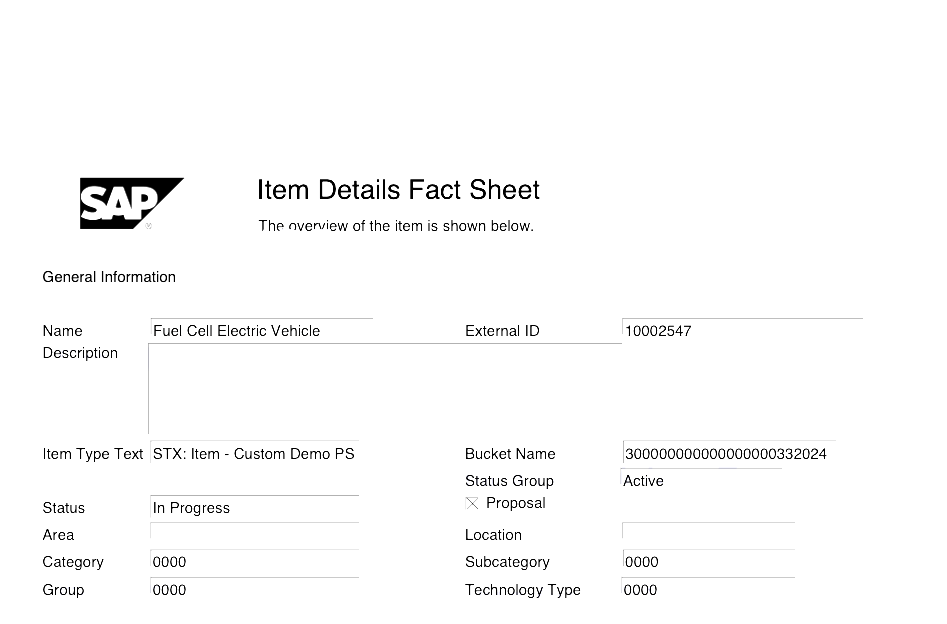
And they can generate a PDF and attach it directly to the relevant item or project for documentation and communication.
Reuse Standard Column Visibility in Financial Planning
For customers who already control column visibility in Financial and Capacity Planning through the standard SAP BAdI, PPP now honors that same implementation. Instead of re-modeling the logic in BRF+, organizations can reuse their existing standard BAdI to hide unused columns, and PPP applies the result directly in its planning views. This keeps column configuration consistent with SAP standard and avoids duplicate maintenance.