
How to create Business Partners (BuPas) in SAP S/4HANA
For the creation of a BuPa in S/4, you will need to create a personell first. This is done via transaction PA30:
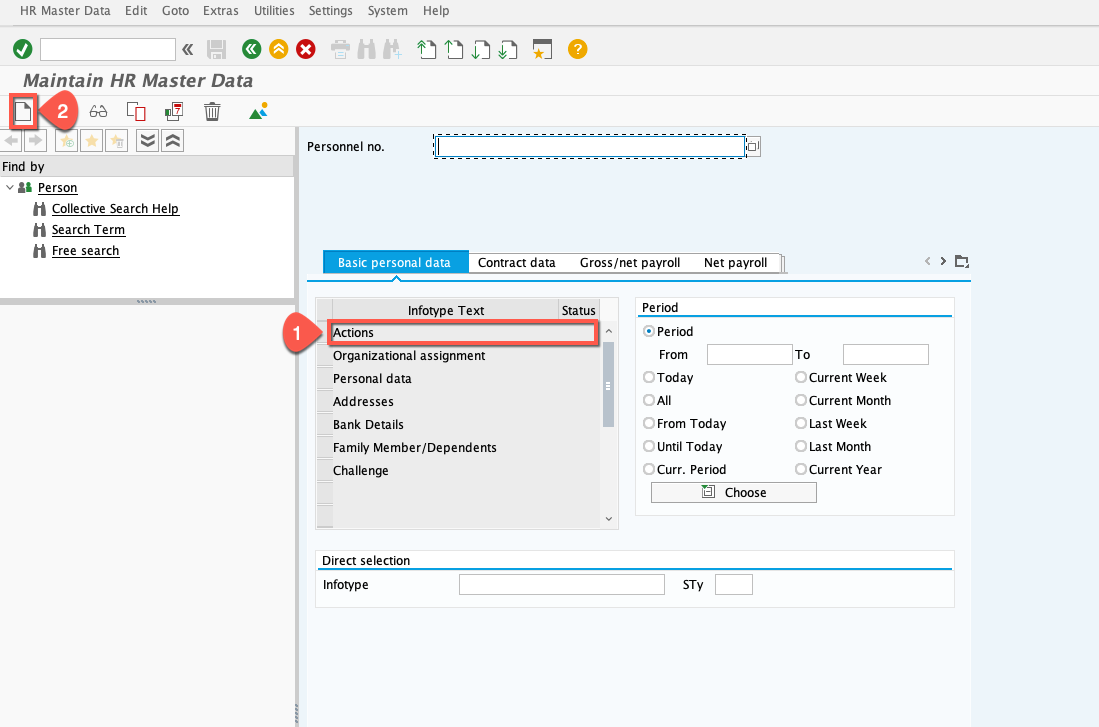
First, you need to select Actions and press Create:
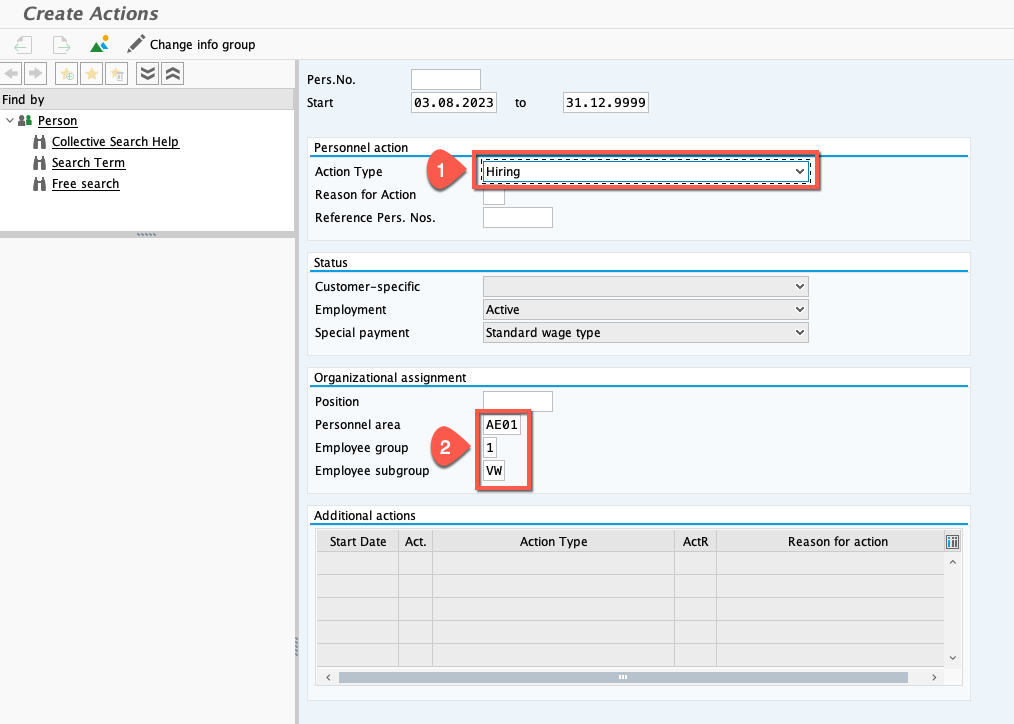
 There, you will have to enter the Action Type, Personnel area, Employee group and Employee subgroup (values are not important, fill with whatever you want):
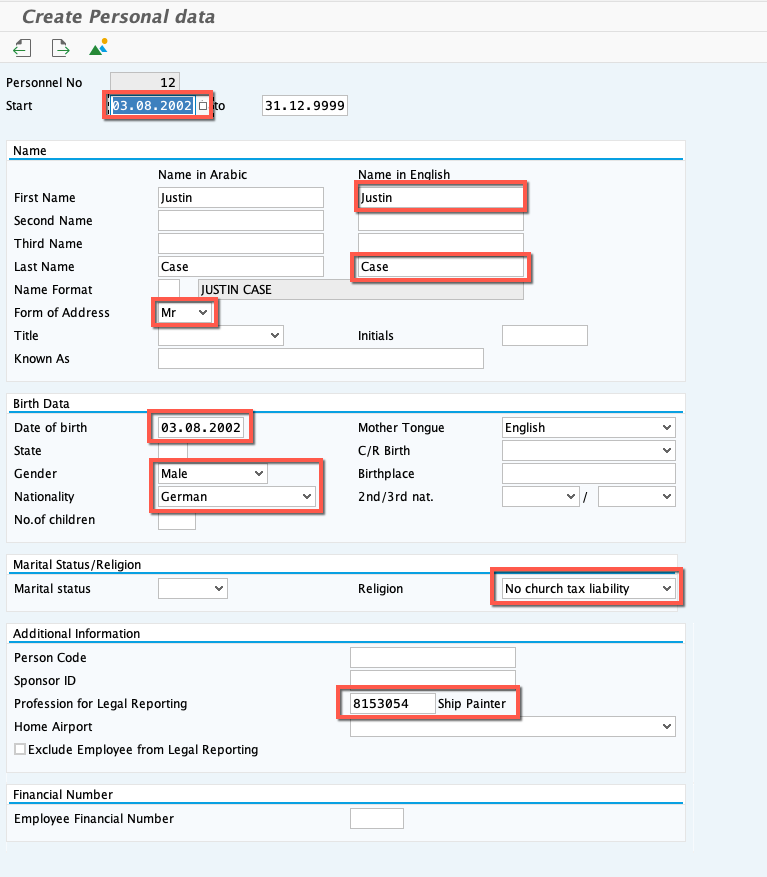
 Hit Save afterwards and you will come to the next page, where you will have to fill these fields (values are not important, fill with whatever you want):
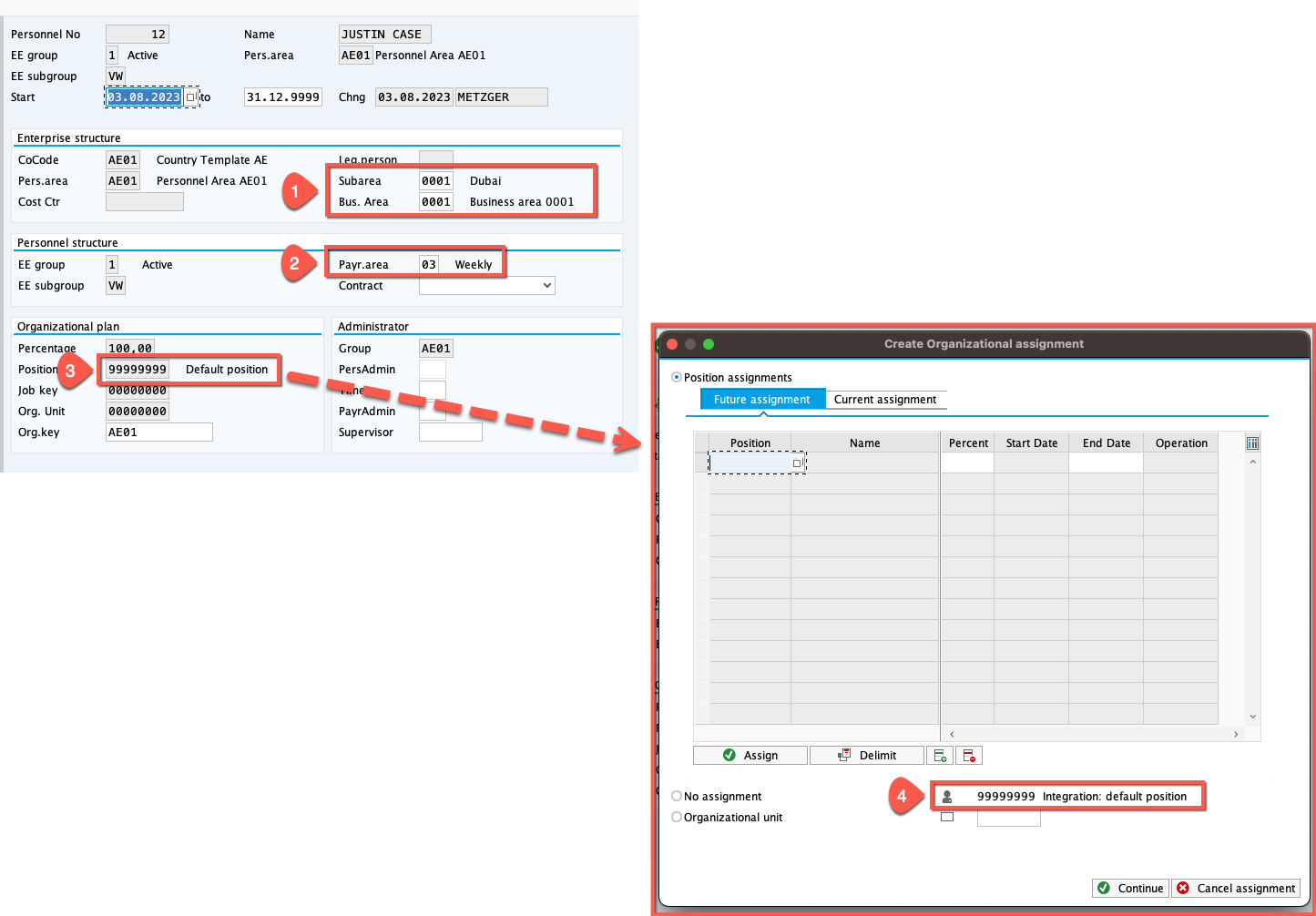
 After saving, you will be redirected to this page, where you have to enter the Subarea, Bus. Area and Payr.area (values are not important, fill with whatever you want). Afterwards you will have to enter a position, where you can use the F4 help and then double click the default position:
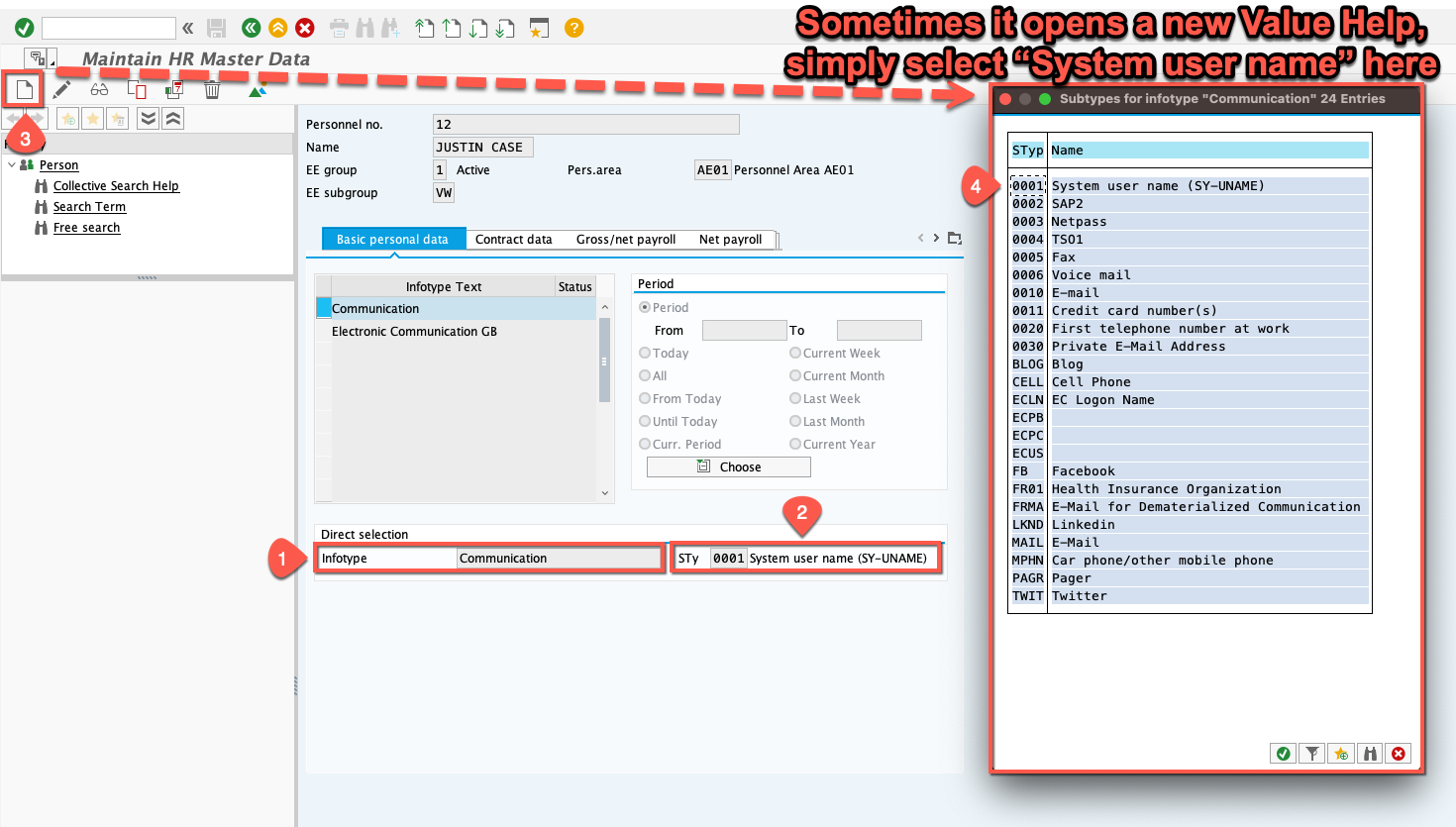
 After saving, you can return to the PA30 page with F3 and then select “Communication” as Infotype and “Sytem User Name” as STy. Afterwards Create:
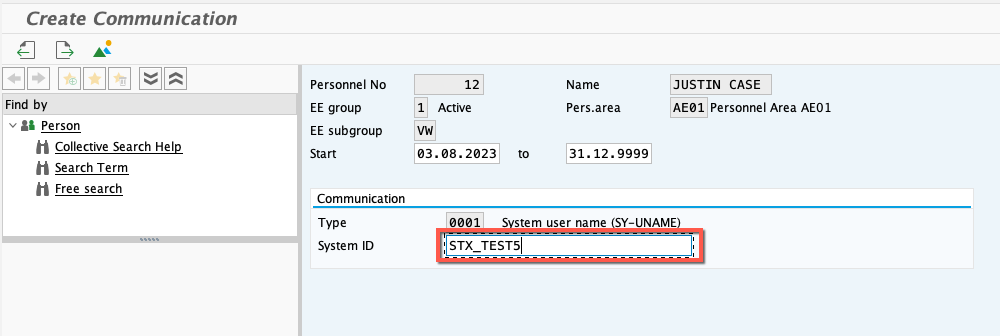
 You can now enter your Sy-Uname and Save:
 The last thing to do, is to go into SE38 and execute the program /SHCM/RH_SYNC_BUPA_EMPL_SINGLE. In there, you simply have to enter the personnel number (Which has been given to the users by the system during the creation) and press Execute.
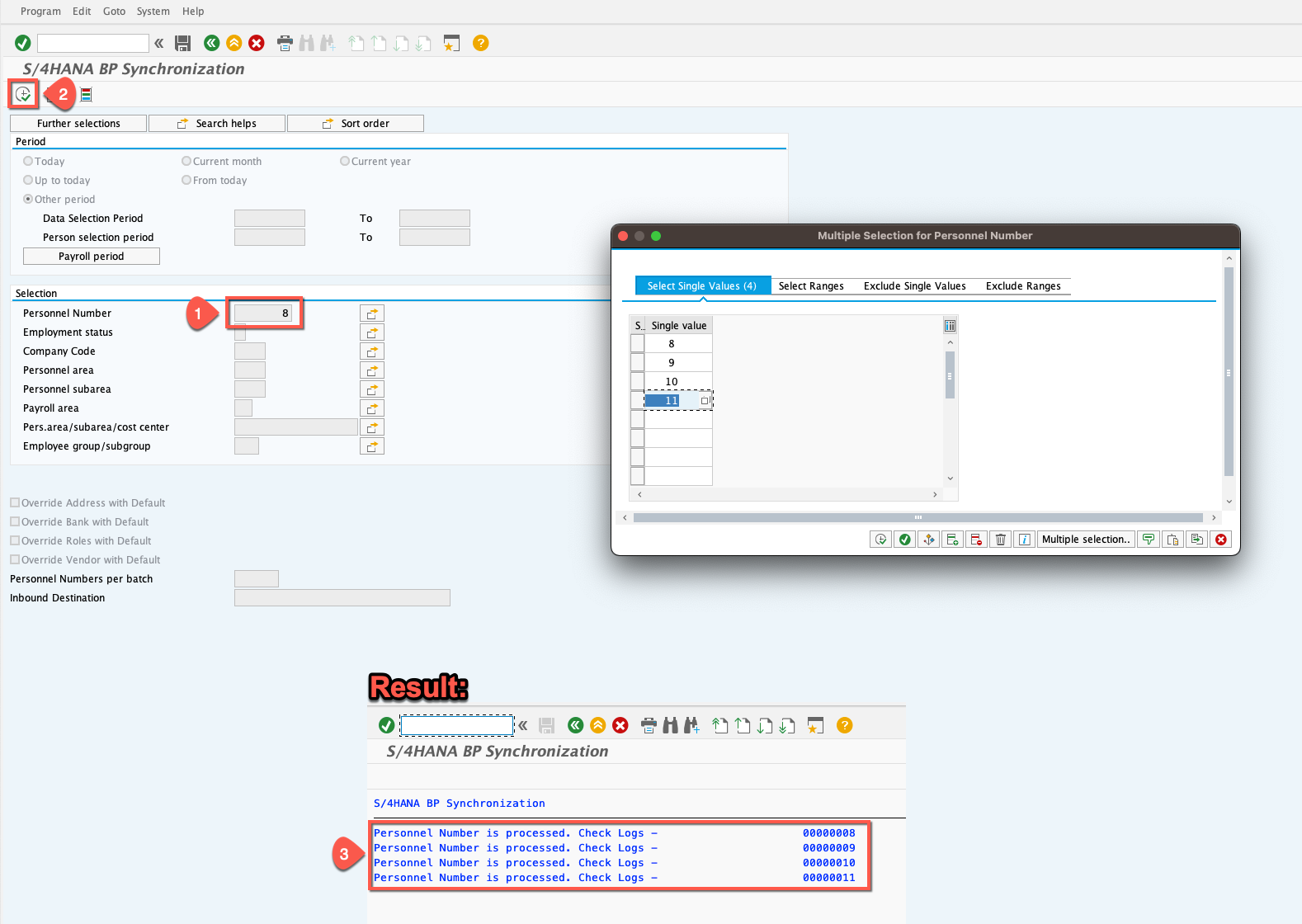 Once the result is shown as in the screenshot above, the BuPas have been successfully created. 🥳 👍