
Use PPP Workflow to Create PDF and Attach to Item or Project
Problem
You want to automate PDF generation using a workflow and need guidance on how to configure this within the workflow framework.
Environment
- SAP S/4HANA (On-Premise)
- SAP NetWeaver 7.50 SP24 or higher
- SAP Business Technology Platform (SAP BTP)
- SAP Cloud Platform (ABAP Environment)
Solution
1. Configure SAP Forms Service (Prerequisite)
PDF generation requires SAP Forms Service integration.
a. Subscribe and Create Service Key
- Follow the official SAP documentation: Connecting the SAP Forms Service to ABAP
b. Configure Based on System Type
- For SAP BTP / Cloud (ABAP Environment): Configure using Configure the SAP Forms Service in the ABAP environment (Cloud Platform)
- For S/4HANA On-Premise or NetWeaver (≥ 7.50 SP24): Configure using: Connecting the SAP Forms Service to ABAP
2. Configure Workflow and BRF+ for PDF Generation
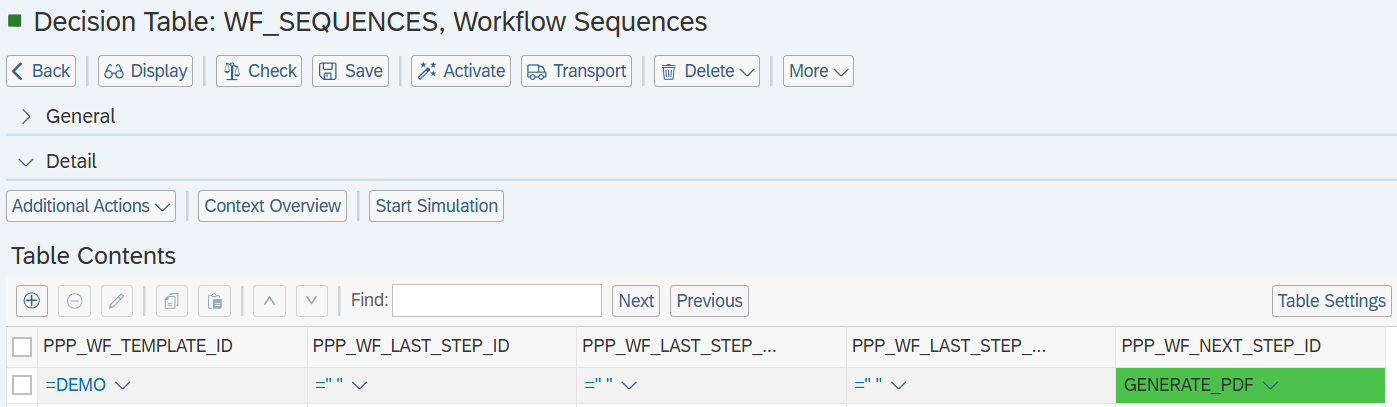
a. Define Workflow Sequence
- Maintain the sequence in
WF_SEQUENCESto determine after which step PDF generation is triggered. - Example: If PDF generation is the first step, maintain it accordingly and leave the final step empty if not required.
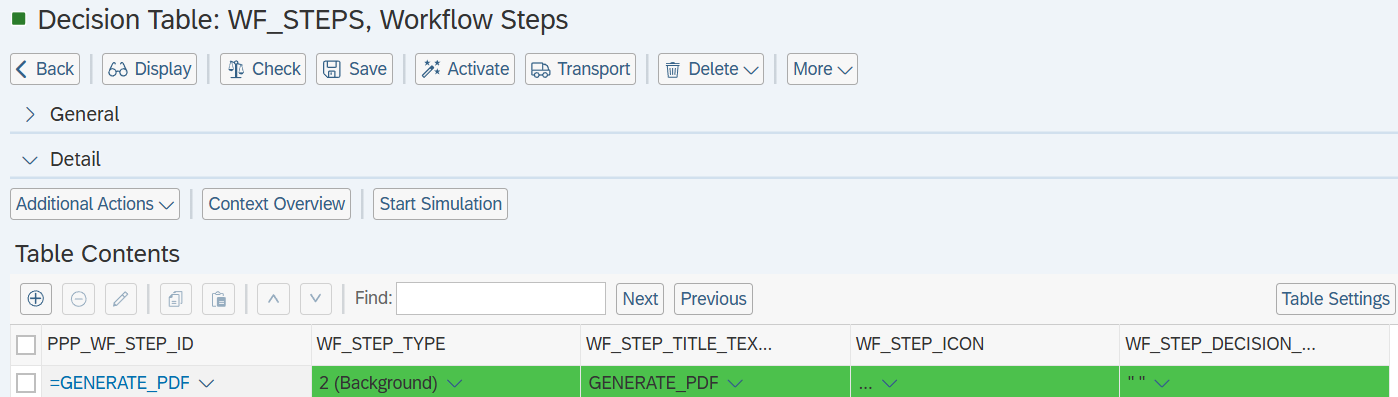
b. Define Workflow Step
- In
WF_STEPS, create a step ID and configure it as a background step.
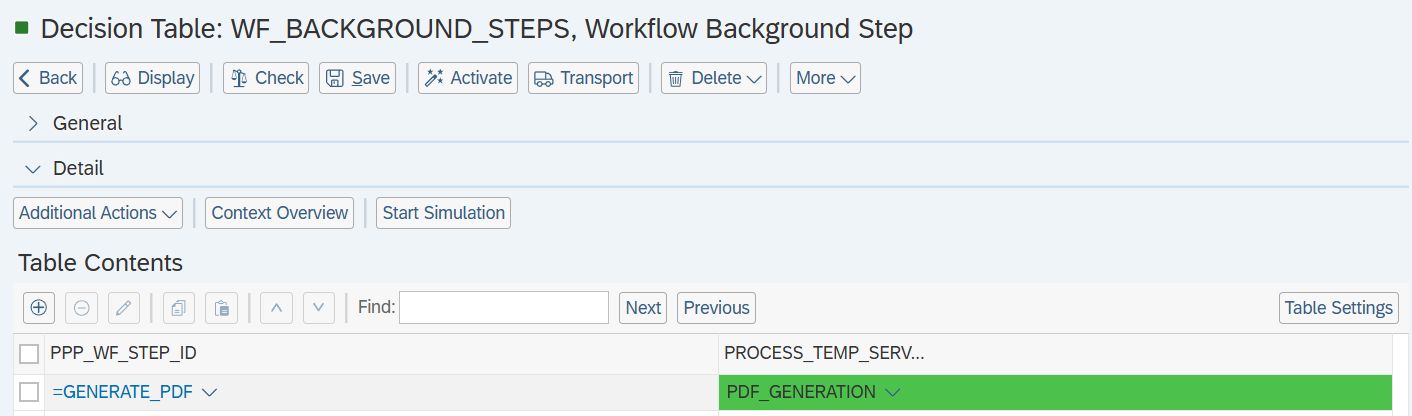
c. Assign Background Step
- Maintain the step ID in
WF_BACKGROUND_STEPS.
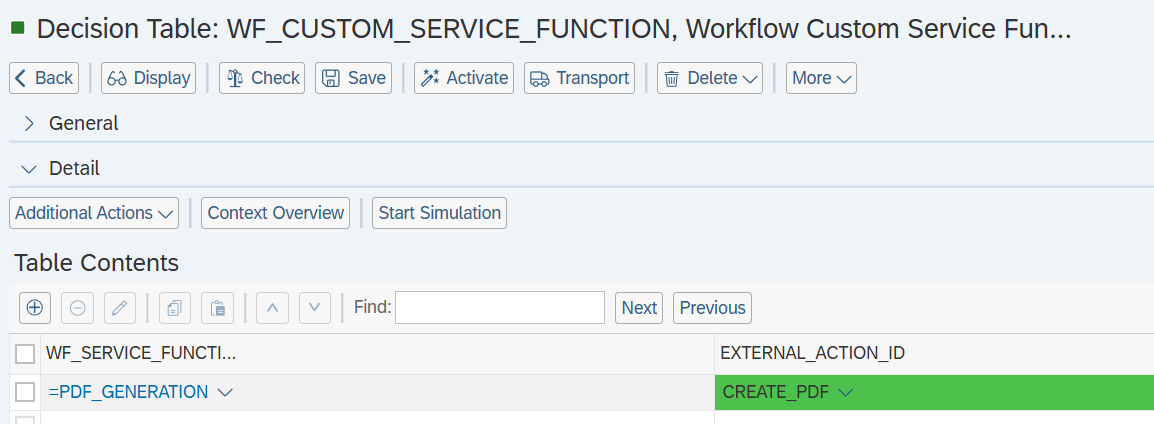
- Provide the corresponding service function details in
WF_CUSTOM_SERVICE_FUNCTION.
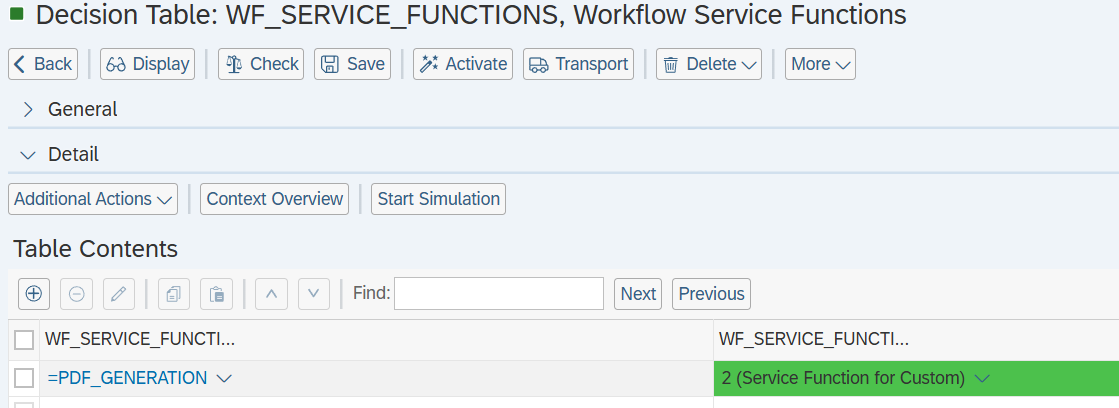
d. Configure Service Function
- In WF_SERVICE_FUNCTIONS, set Type =
2(Custom Service Function)
e. Maintain Custom Service Function
- In WF_CUSTOM_SERVICE_FUNCTION, assign the custom service function name.
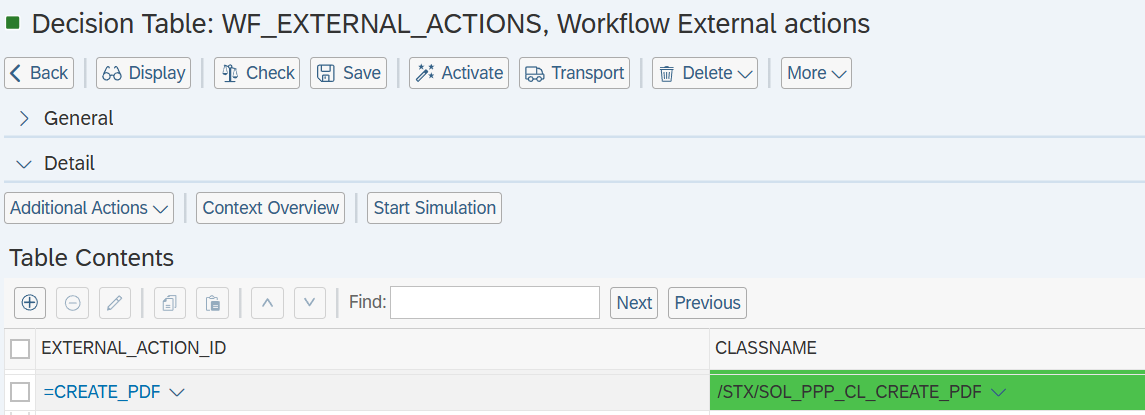
f. Assign PDF Generation Class
- For the external action ID configured in the workflow step, assign the following class:
STX/SOL_PPP_CL_CREATE_PDF
See Also
Keywords
SAP PPM, PDF Generation, Workflow Configuration, SAP Forms Service, BRF+, Background Step