
Value Tables
Problem
You want to customize the predefined values for dropdown fields in PPP by adding, changing, or setting a new data source for value tables.
Environment
- PPP BRF+ Customizing
Prerequisites
Ensure access to the BRF+ application where the decision table for Value Tables (technical name: VALUE_TABLES) can be edited.
Solution
Customizing Value Tables
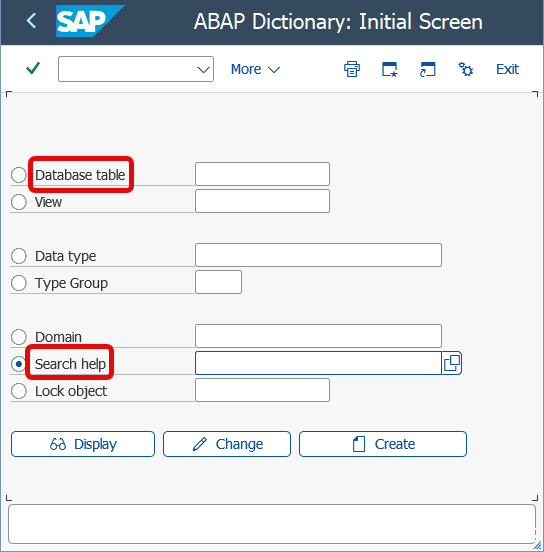
- Make sure you have a Database table or Search Help in the backend which you will use for predefined values. You can find or create them by using
SE11transaction.
-
Access the Decision Table
Open the BRF+ Application and navigate to the decision table Value Tables (Technical Name: VALUE_TABLES). -
Fields to Customize The following fields in the decision table allow you to define the behavior and data sources for dropdowns:
-
VALUE_TABLE_DDIC_NAME: Enter the technical name of the backend DDIC table or search help to be used as a source for the predefined values.
-
KEY_FIELD_NAME: Enter the name of the field which is used as a Key. Either from the db table or search help.
- Key: The key values are shown without any transformation.
-
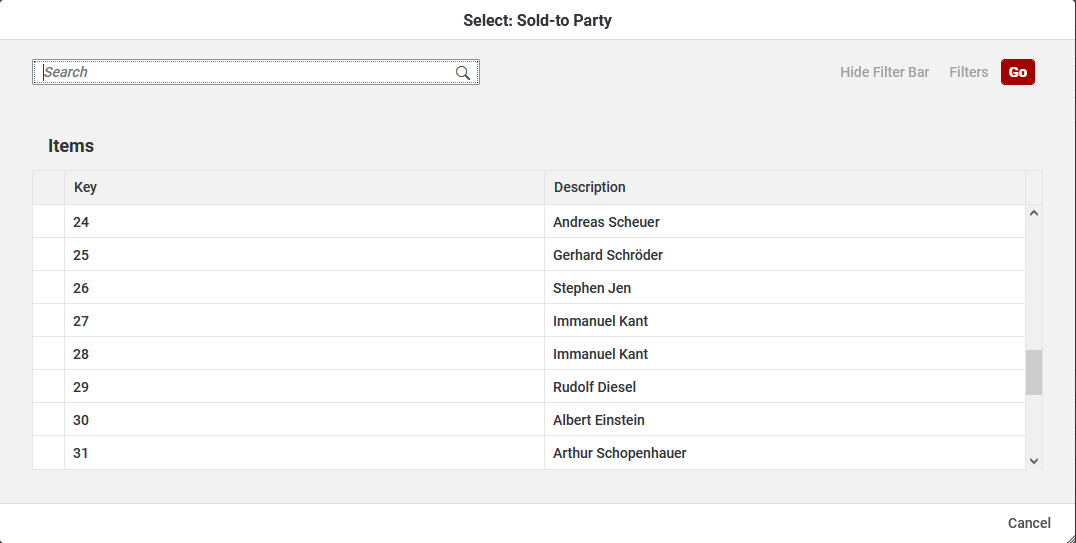
DESCRIPTION_FIELD_NAME: Enter the name of the field which is used as a Description.
- Description: The key values are transformed to related and better readable texts. It can change the Text of the Business Partner ID to the Business Partner Name (24 → “Andreas Scheuer”) when displaying it.
-

*   **LANGUAGE\_KEY\_FIELD\_NAME**: Enter the name of the DDIC table field which is used for language.
*   **VALUE\_TABLE\_TEXT\_ID**: Currently unused but reserved for future enhancements to allow custom titles in value helps.
*   **IS\_SEARCH\_HELP:** Determines the type of value source. Set this column to **true** if the source is a DDIC **Search Help** rather than a DDIC table.
*   When using a DDIC Search Help:

    *   **KEY\_FIELD\_NAME**: The value of the specified field will be mapped back into the customized field after choosing an entry in the search help.
    *   **DESCRIPTION\_FIELD\_NAME**: The value of the specified field will be displayed as the description value of the customized field (when it contains a value).
    *   **LANGUAGE\_KEY\_FIELD\_NAME**: Has no impact for search helps. Language dependency should be handled by the DDIC search help logic.
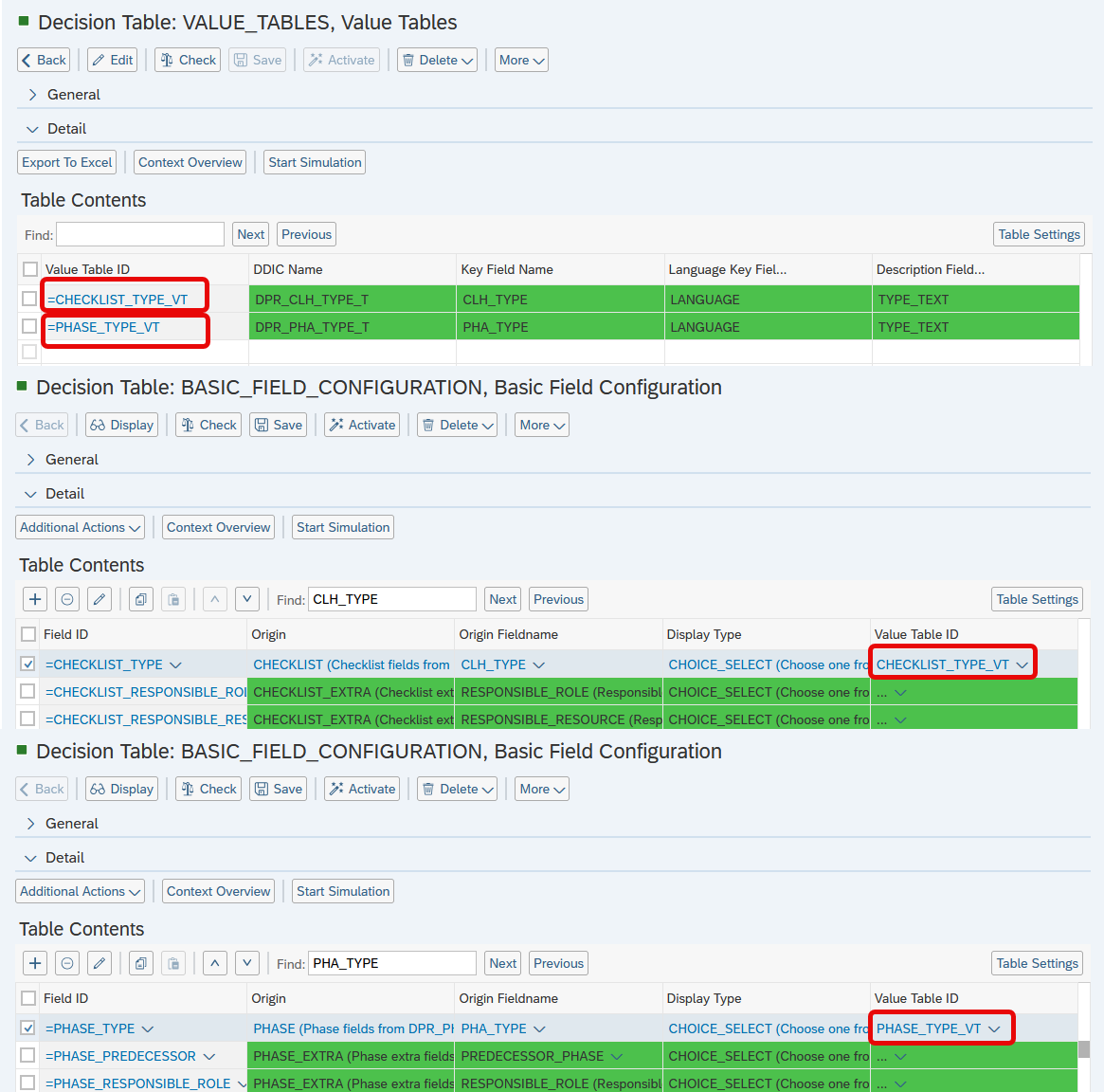
- Add the Value Table ID to the respective field in Basic Field Configuration table. It connects the Field with the values from the Value Table.
Example
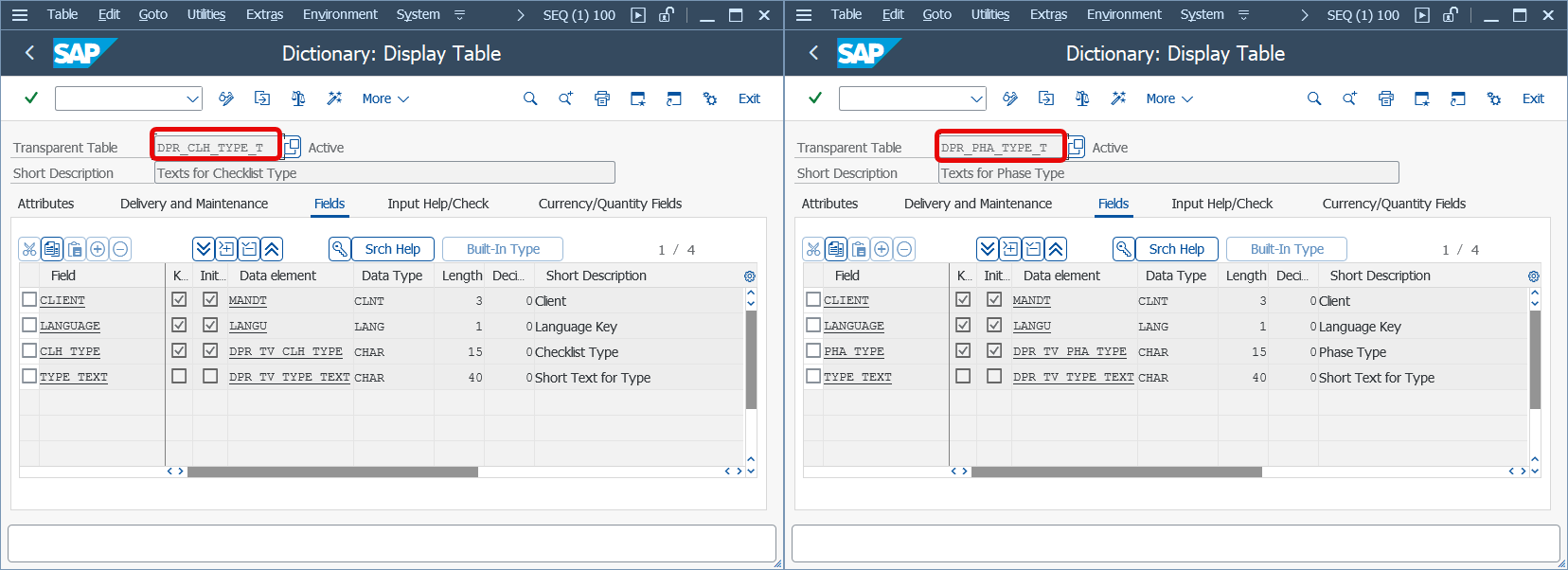
- DDIC tables exist in the backend:
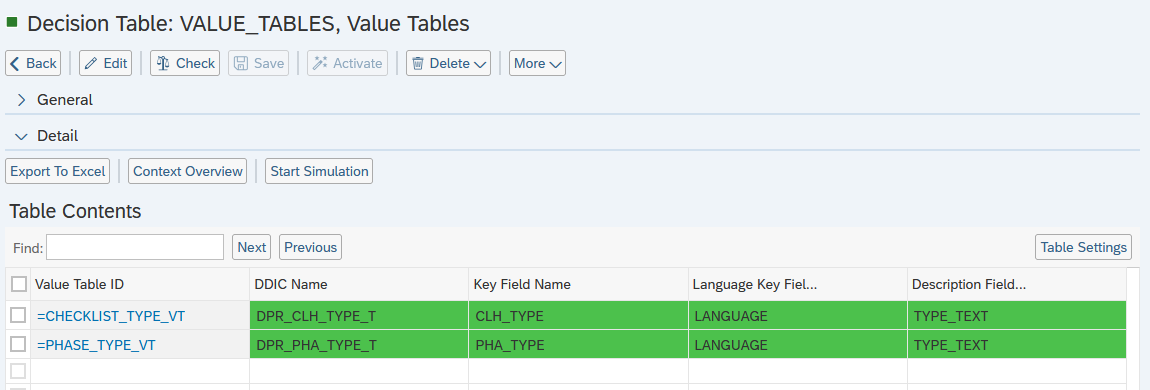
- Value Tables customization:
- Value Table IDs are mentioned in Basic Field Configuration table:
See Also
Keywords
- BRF+
- Value Tables
- Dropdown Customization
- Search Help
- Value Help
- F4