
IMG Customization
General Information
Process Builder does not have a lots of special customization as this uses the already configured process in Process Control - Task Configuration
Configuration steps
Refer to IMG Customization. These steps are predefined during Process Control - Task Configuration
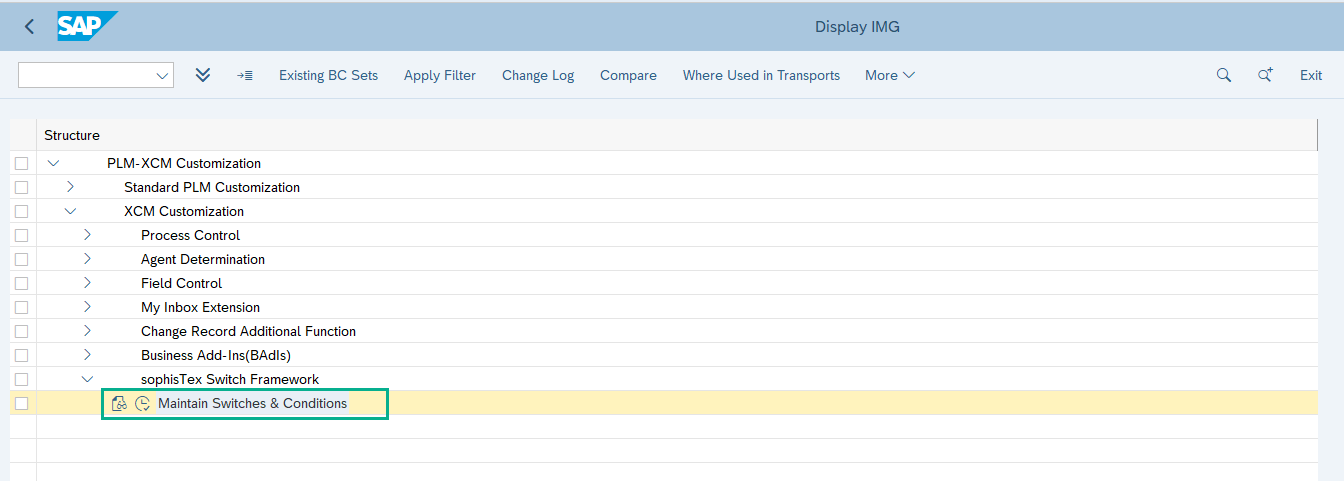
- Navigate to the path XCM Customization → sophisTex Switch Framework
2. Create the new entries for Solution switches, as shown in the below screenshot.
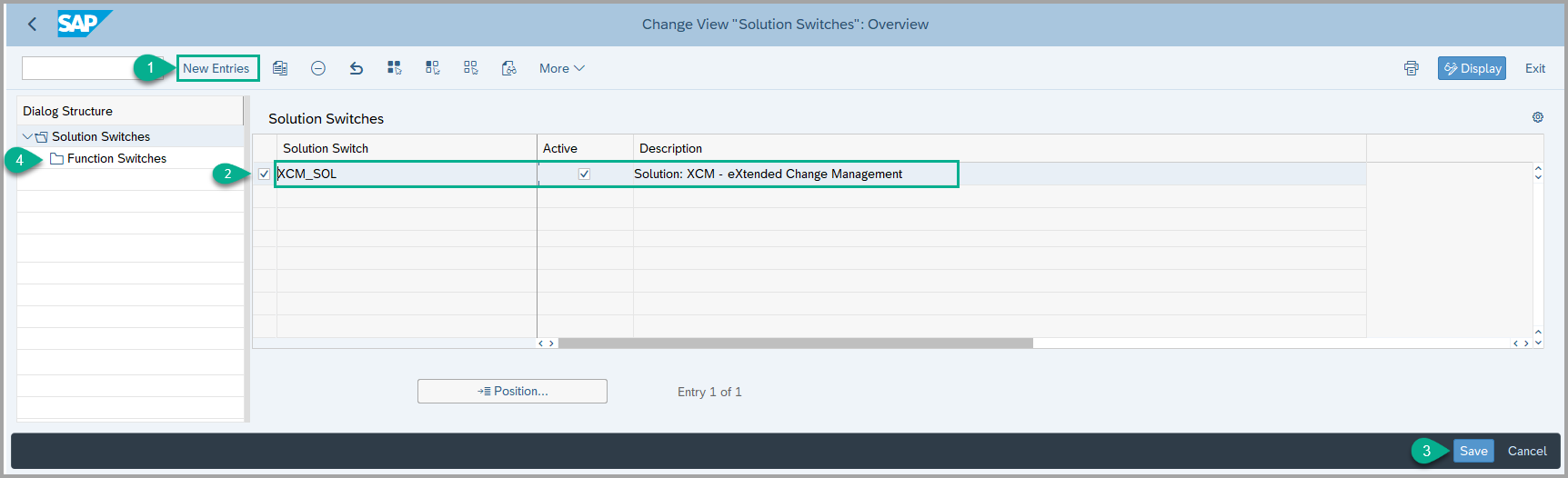
3. Select the Solution Switch entry, then click on Function Switches. If required, check the box for the specific switch you want to activate.
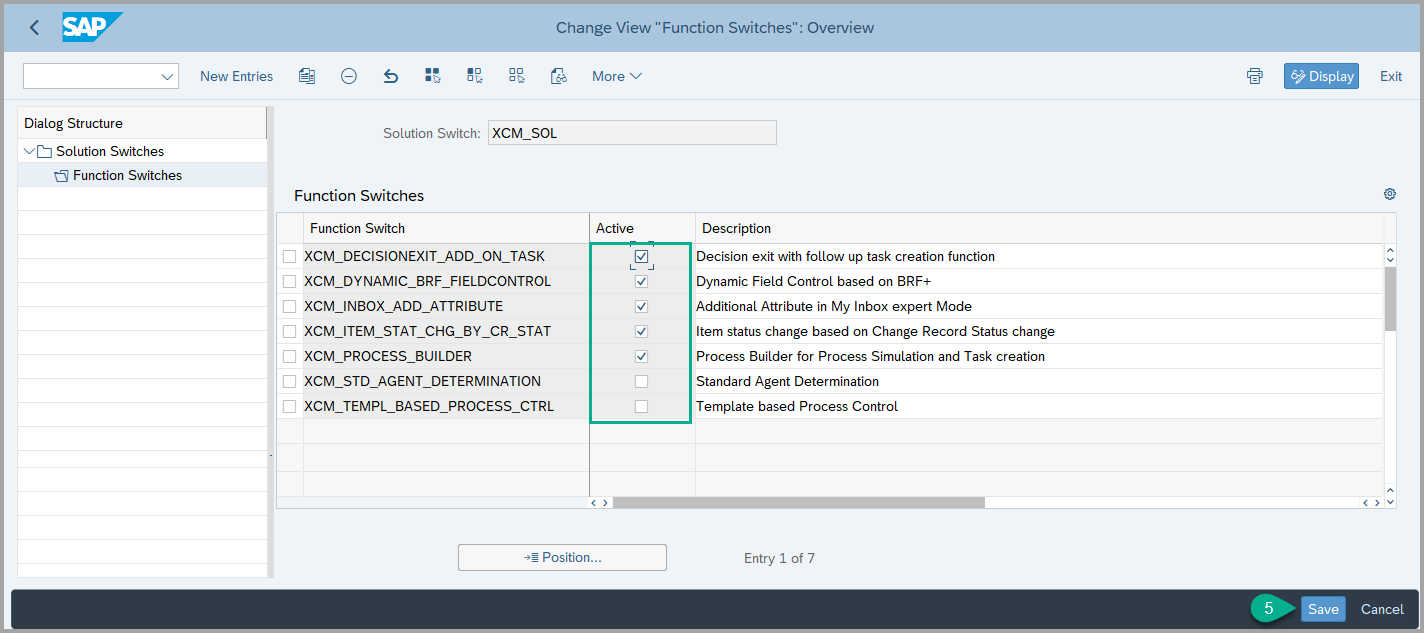
4. Click on save button.
See Also
Keywords
Simulation, Simulator, Process, Builder, Process Builder. switch control